 TutorialKart.com
CouchDB – Create Database
You can create a database in Apache CouchDB by sending an HTTP PUT request to the database URL or by using the CouchDB web interface, commonly called Fauxton. This tutorial demonstrates both methods with a database named cars.
Before continuing, make sure CouchDB is running and that you have permission to create databases. In a secured installation, include administrator credentials with the request or sign in through the web interface.
Create a CouchDB Database via REST API
To create a CouchDB database through the REST API, send an HTTP PUT request to a URL containing the required database name.
http://hostname/database_name/We have our CouchDB running in our localhost. Hence, we shall use 127.0.0.1:5984 as hostname.
Let us create a database with name cars.
The resulting request URL that we have to use for PUT request will become,
http://127.0.0.1:5984/cars/We will use Postman, to trigger a PUT request with the URL to create CouchDB Database. You can use any other CLI or GUI tool of your choice.
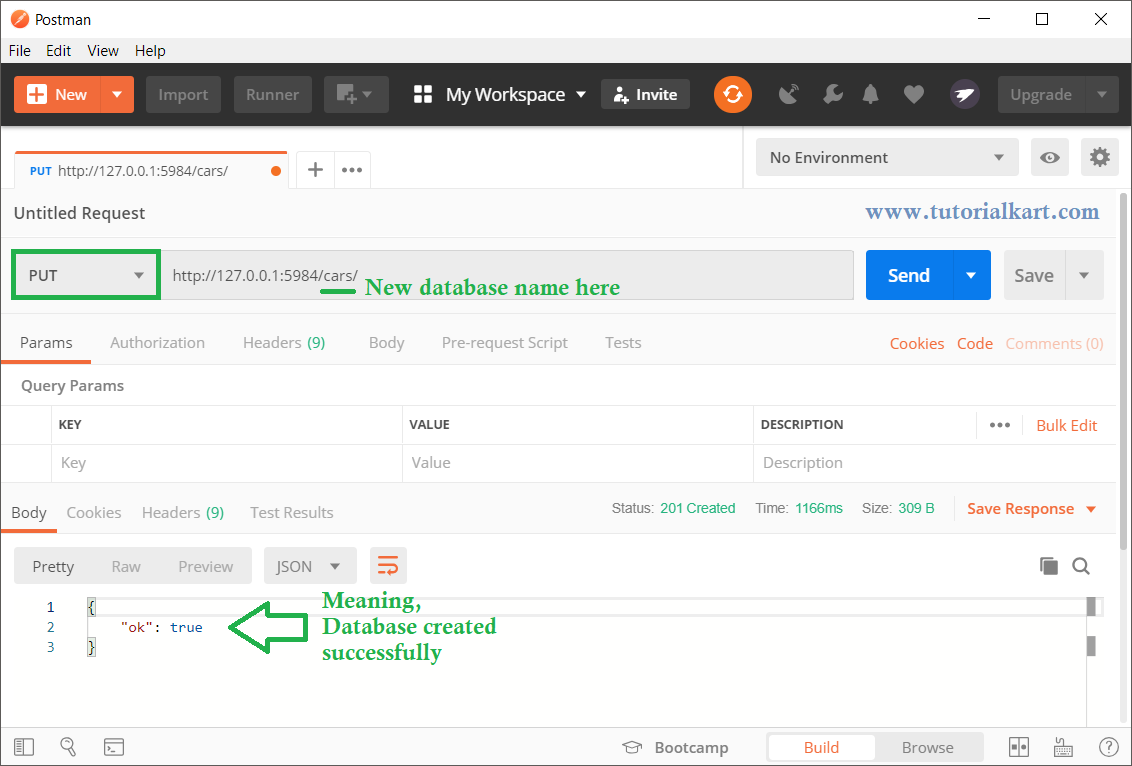
When the request succeeds, CouchDB normally returns a JSON response containing "ok": true.
{"ok":true}Create the CouchDB Database with curl
You can perform the same operation from a terminal by using curl. The following command sends a PUT request to create the cars database.
curl -X PUT http://127.0.0.1:5984/carsIf authentication is enabled, provide the administrator username and password. Replace the example values with the credentials configured for your CouchDB installation.
curl -X PUT http://127.0.0.1:5984/cars \
  --user admin:password
Verify That the CouchDB Database Was Created
Let us check if the database is created.
Send a HTTP GET Request with the same URL as above.
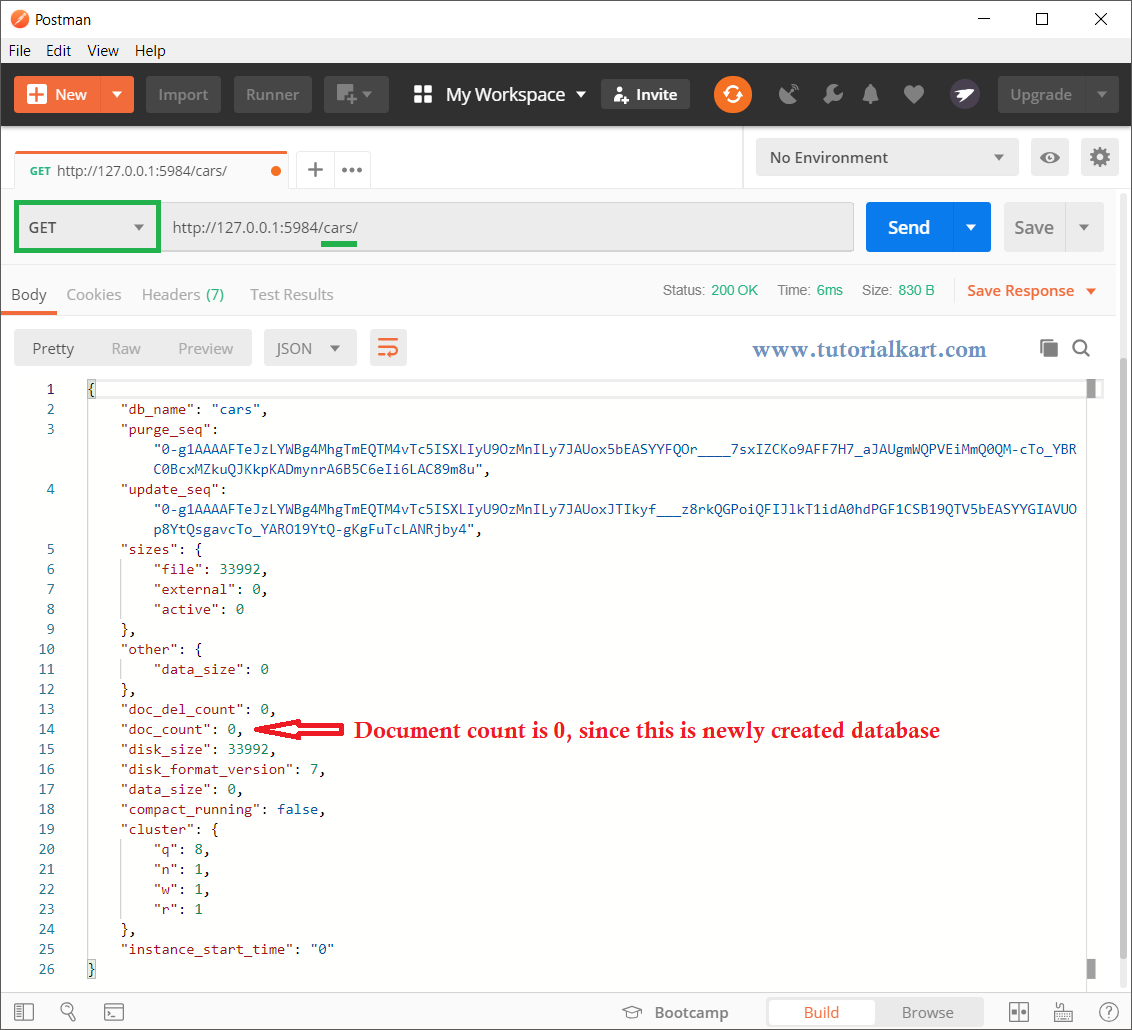
The database has been created and present. You get all the information about the database in the response.
You can also verify the database from the terminal:
curl http://127.0.0.1:5984/carsA successful response contains database metadata such as the database name, document count, update sequence and storage information. A newly created database usually has a document count of zero.
Create a CouchDB Database in the Fauxton Web Interface
You can also create database in CouchDB using Web Interface.
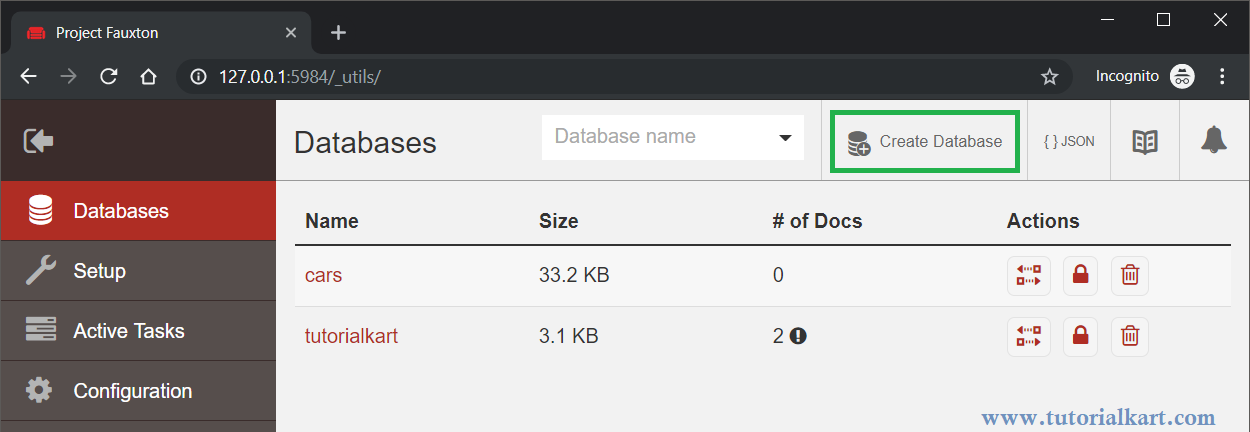
Open URL http://hostname/_utils/ in your browser. In this example, the URL will be http://127.0.0.1:5984/_utils/.
If CouchDB requires authentication, sign in with an account that has permission to create databases.
Click on Create Database button highlighted in green in the below screenshot.
A pop-up appears under Create Database. Enter the new database name and click the Create button.
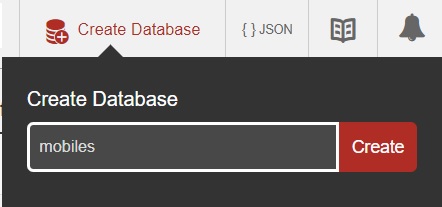
Once you click on the Create button, if everything is good, a new database is created.
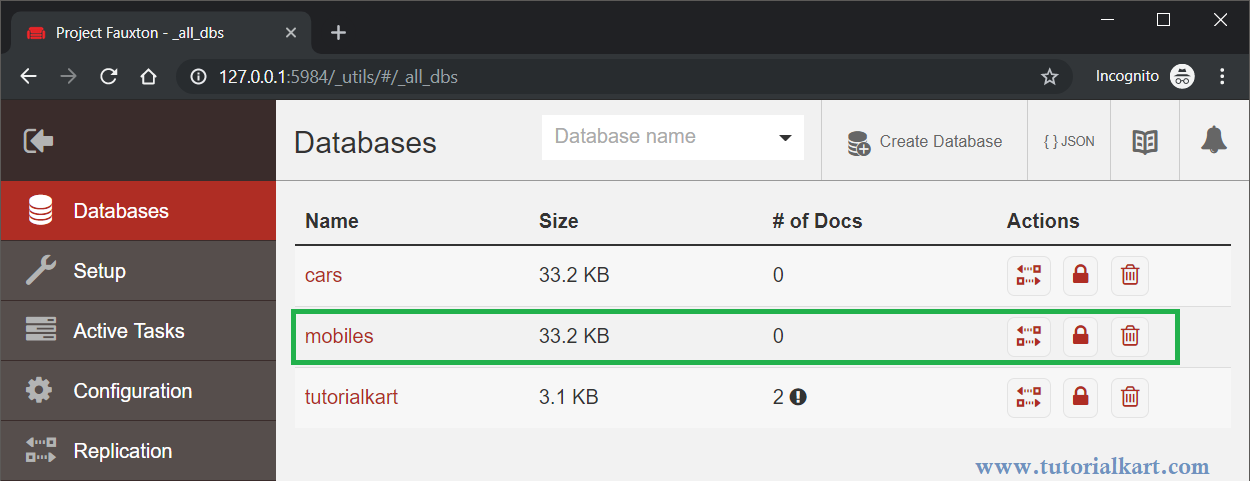
In the database list, you should see the new database created.
CouchDB Database Naming Rules
Use a lowercase database name that is safe to include in a URL. Names commonly contain lowercase letters, numbers and selected punctuation characters. A simple name such as cars, customer_orders or sales-2026 avoids most naming problems.
Do not use uppercase letters in a regular CouchDB database name. Also avoid spaces and characters that would need special URL handling. If the name contains a character with a special meaning in a URL, encode it correctly before sending the request.
Common CouchDB Create Database Errors
Database Already Exists
If a database with the requested name already exists, CouchDB returns an error instead of replacing it. Use a different name or send a GET request first to check whether the database is present.
{"error":"file_exists","reason":"The database could not be created, the file already exists."}Unauthorized or Forbidden Request
An unauthorized or forbidden response means the request does not have sufficient permission. Confirm that the supplied username and password are correct and that the account is allowed to create databases.
Invalid CouchDB Database Name
If CouchDB rejects the database name, change it to a lowercase, URL-safe value and send the PUT request again.
Unable to Connect to Port 5984
A connection error usually means CouchDB is not running, the host or port is incorrect, or network access is blocked. Confirm the CouchDB service status and test the server root URL before creating the database.
curl http://127.0.0.1:5984/CouchDB Create Database FAQs
Which HTTP method creates a database in CouchDB?
CouchDB creates a database when you send an HTTP PUT request to the URL for the new database, such as http://127.0.0.1:5984/cars.
How do I check whether a CouchDB database exists?
Send an HTTP GET request to the database URL. CouchDB returns the database metadata when it exists and a not-found response when it does not.
Can I create a CouchDB database without administrator credentials?
That depends on the server configuration. Secured CouchDB installations normally require an authenticated account with permission to create databases.
Does creating a CouchDB database also create documents?
No. A new database is empty. Documents must be added separately through the REST API, Fauxton or a CouchDB client library.
CouchDB Database Creation Summary
In this CouchDB Tutorial, we learned to create a new database via HTTP REST API and Web Interface provided by CouchDB. The REST API uses an HTTP PUT request, while Fauxton provides a browser-based form for creating the same database. After creation, send a GET request or inspect the Fauxton database list to verify the result.