 TutorialKart.com
CouchDB – Delete Document
To delete a document from a CouchDB database, send an HTTP DELETE request containing the document ID and its current revision value. You can also delete the document through the CouchDB Fauxton web interface.
CouchDB uses multiversion concurrency control. Therefore, the current _rev value is required when deleting a document. This prevents one client from deleting a document after another client has changed it.
Delete a CouchDB Document via REST API
Send an HTTP DELETE request using the following URL format.
http://hostname/database_name/document_id/?rev=revision_numberReplace hostname with the CouchDB server address, database_name with the database name, document_id with the document ID, and revision_number with the document’s current _rev value.
In this example, CouchDB is running locally at 127.0.0.1:5984.
We will use an existing database named tutorialkart and delete the document whose ID is 0005.
Get the Current CouchDB Document Revision
Before deleting the document, retrieve it with a GET request and note its _rev field. For details, refer to CouchDB – GET Document. The following is the response for document 0005.
 {
     "_id": "0005",
     "_rev": "4-41144c540298e1340e312de91319d6f3",
     "tutorial": "PostgreSQL Tutorial",
     "category": "RDBMS",
     "topics": 22
 }
The current revision is 4-41144c540298e1340e312de91319d6f3. Pass this value through the rev query parameter in the DELETE request.
The complete request URL is:
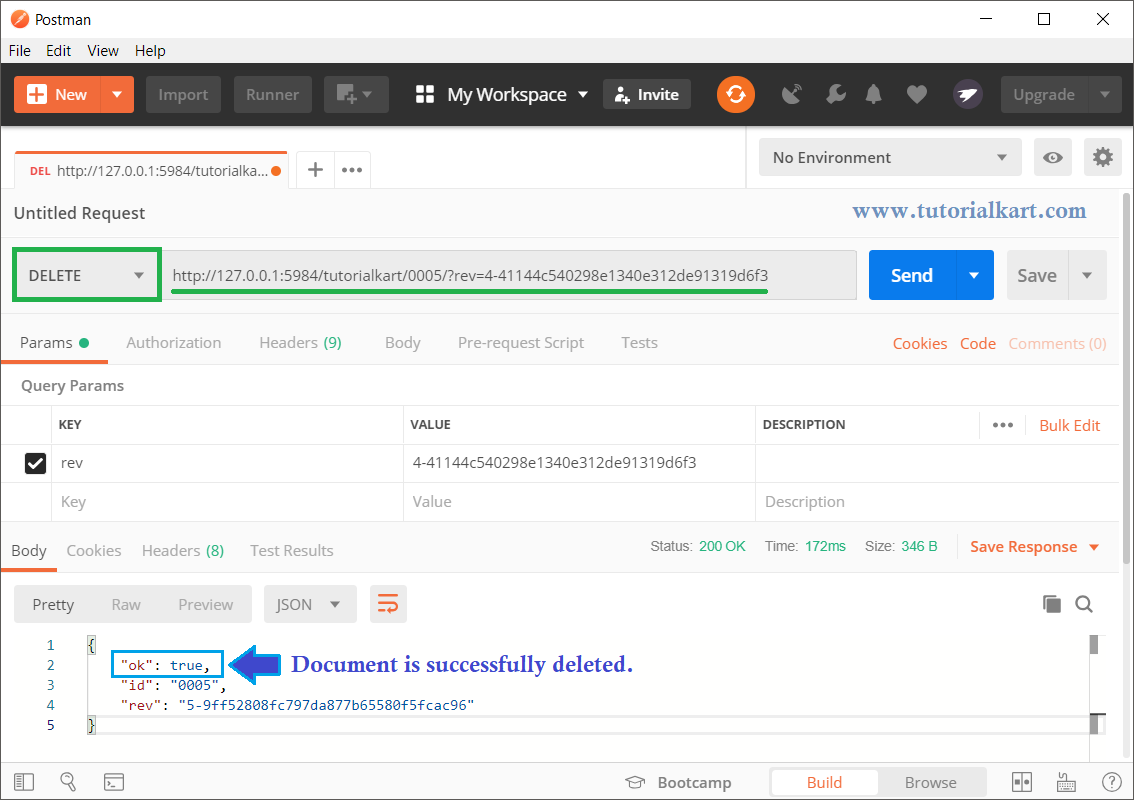
http://127.0.0.1:5984/tutorialkart/0005/?rev=4-41144c540298e1340e312de91319d6f3In Postman, select the DELETE method, enter the URL, and send the request. You can use any other HTTP client or command-line tool.
Delete the CouchDB Document with cURL
The same DELETE request can be sent from a terminal with cURL:
curl -X DELETE "http://127.0.0.1:5984/tutorialkart/0005?rev=4-41144c540298e1340e312de91319d6f3"If authentication is enabled, include valid credentials:
curl -u username:password -X DELETE "http://127.0.0.1:5984/tutorialkart/0005?rev=4-41144c540298e1340e312de91319d6f3"CouchDB Delete Document Success Response
When the document is deleted successfully, CouchDB returns a response containing ok, the document ID, and a new deletion revision.
{
  "ok": true,
  "id": "0005",
  "rev": "5-new-deletion-revision"
}
The exact revision value differs for each document. The new revision represents the deleted state of the document.
Confirm That the CouchDB Document Was Deleted
To verify the deletion, send an HTTP GET request to the same document URL without the rev parameter.
curl http://127.0.0.1:5984/tutorialkart/0005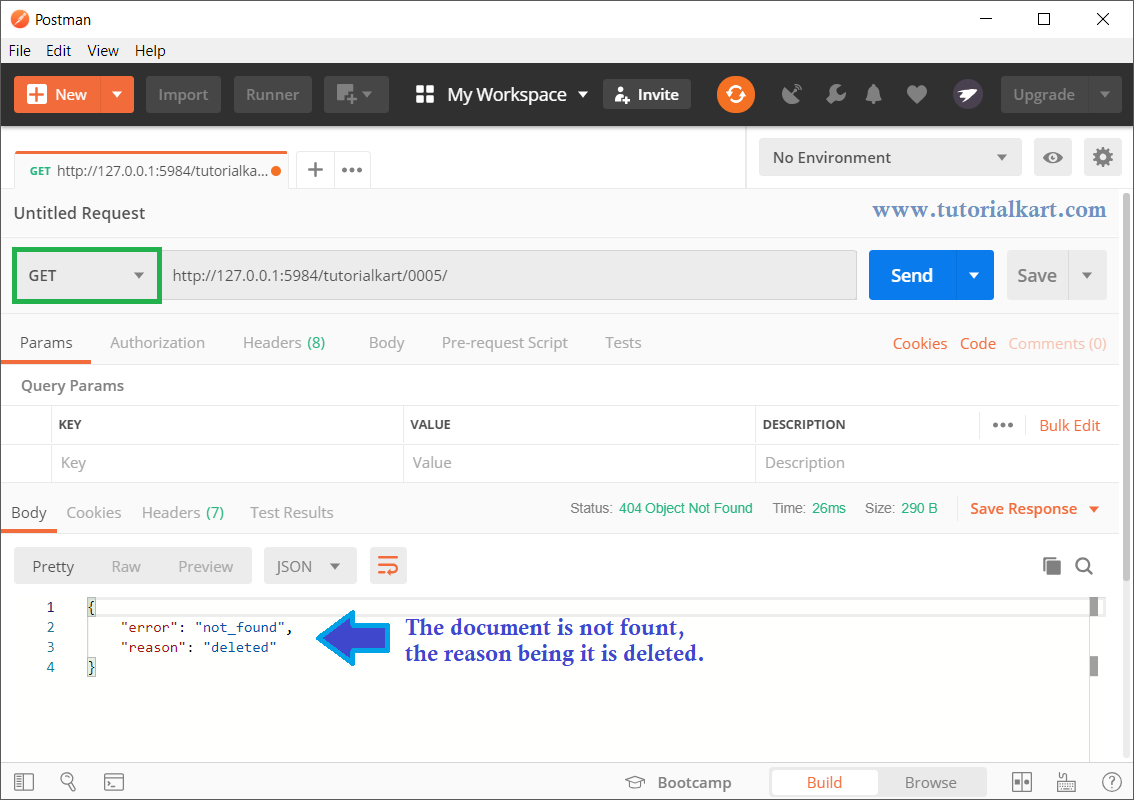
For a deleted document, CouchDB commonly returns an HTTP 404 Not Found response with error set to not_found and reason set to deleted.
{
  "error": "not_found",
  "reason": "deleted"
}
Delete a CouchDB Document by Sending the Revision Header
Instead of adding ?rev=... to the URL, you can supply the current revision in the If-Match request header.
curl -X DELETE \
  -H 'If-Match: "4-41144c540298e1340e312de91319d6f3"' \
  http://127.0.0.1:5984/tutorialkart/0005
Use either the rev query parameter or the If-Match header. Both identify the revision that CouchDB should delete.
Delete a CouchDB Document via Fauxton Web Interface
You can also delete a document through Fauxton, the CouchDB web administration interface.
Open http://hostname/_utils/ in your browser. For the local CouchDB instance used in this example, open http://127.0.0.1:5984/_utils/.
Select Databases from the left panel, open the database containing the document, switch to the table view if necessary, and select the document you want to delete.
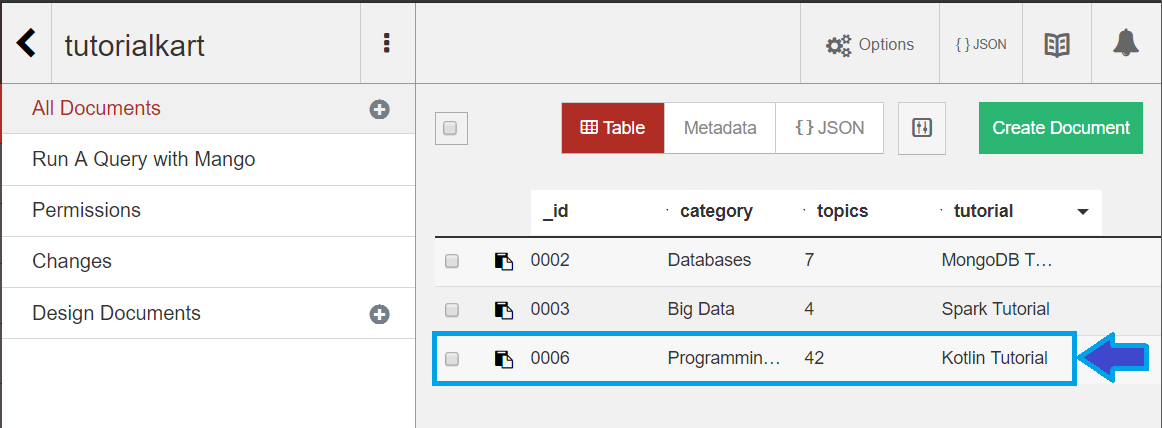
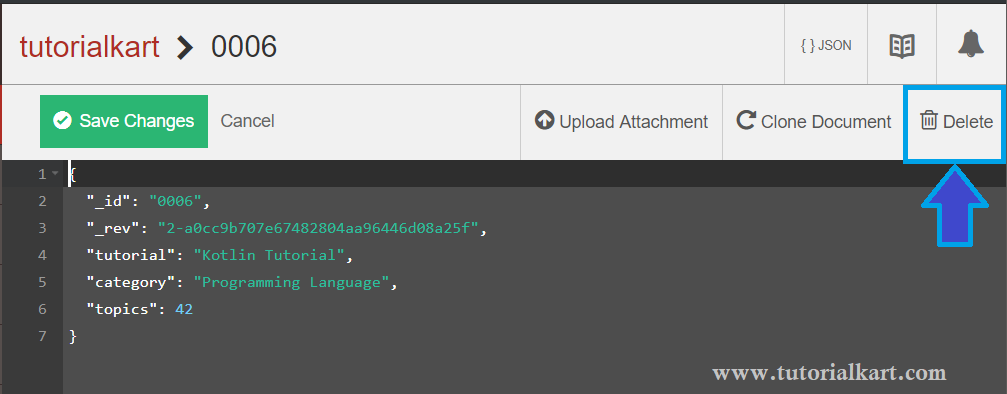
Fauxton opens the document in a JSON editor. Click the Delete button on the right side, as highlighted in the following screenshot.
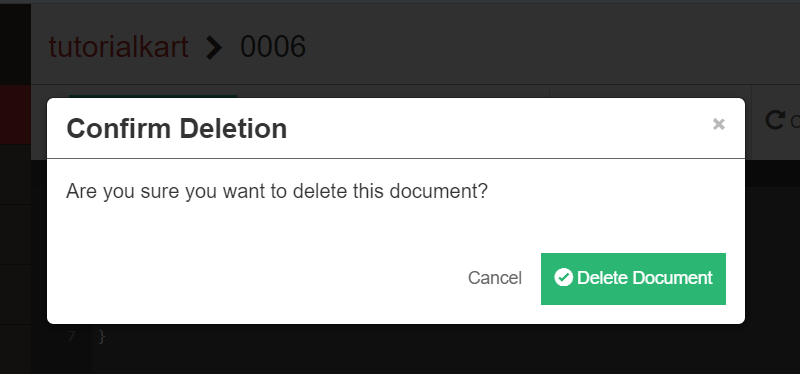
A confirmation dialog appears. Click Delete Document to continue.
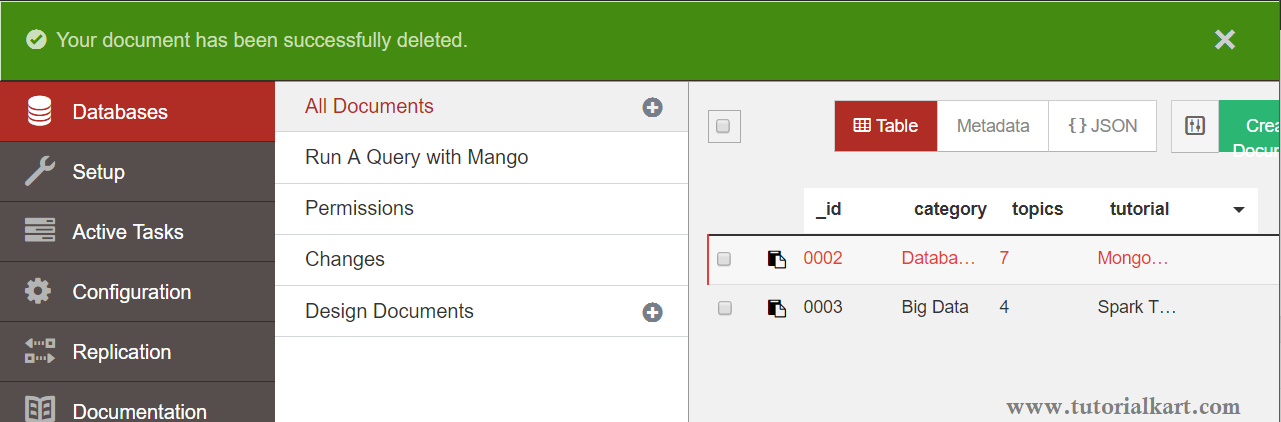
After the operation completes, Fauxton displays a message confirming that the document was successfully deleted.
CouchDB Document Deletion Uses Tombstones
Deleting a CouchDB document does not immediately remove every trace of it from the database file. CouchDB creates a deletion revision, often called a tombstone, containing the document ID, its new revision, and a _deleted marker.
This deletion metadata is needed so that replication can communicate the deletion to other CouchDB nodes. Database compaction can later remove old document bodies and reduce unused storage, but deletion metadata may still be retained for replication purposes.
CouchDB Delete Document Errors
The following responses are common when a CouchDB DELETE request fails:
- 400 Bad Request: The revision parameter or request format is invalid.
- 401 Unauthorized: Authentication is required or the supplied credentials are invalid.
- 403 Forbidden: The authenticated user does not have permission to delete the document.
- 404 Not Found: The database or document does not exist, or the document has already been deleted.
- 409 Conflict: The supplied revision is missing or no longer current.
If CouchDB returns 409 Conflict, retrieve the document again, copy its latest _rev value, and repeat the DELETE request. Do not reuse an older revision after the document has been updated.
Frequently Asked Questions About Deleting CouchDB Documents
Why does CouchDB require _rev when deleting a document?
The revision value confirms which version of the document should be deleted. It prevents a stale client from deleting a newer version that was changed by another request.
What causes a 409 conflict during CouchDB document deletion?
A 409 Conflict response usually means that the supplied revision is missing or outdated. Retrieve the latest document revision and resend the DELETE request.
Can a deleted CouchDB document be retrieved normally?
No. A normal GET request returns a not-found response after deletion. CouchDB retains deletion metadata internally for replication and revision management.
Does deleting a CouchDB document immediately free disk space?
Not necessarily. CouchDB records a deletion revision, and old data may remain in the database file until compaction removes unused document bodies.
CouchDB Delete Document Summary
In this CouchDB Tutorial, we learned how to delete a CouchDB document through the REST API and Fauxton web interface, supply the current revision, confirm the deletion, interpret common errors, and understand CouchDB deletion revisions.