 TutorialKart.com
SAP is a company and a family of enterprise software products used to manage business processes such as finance, purchasing, sales, inventory, manufacturing, maintenance, projects, and human resources. This tutorial explains the SAP full form, how SAP ERP works, its main modules, architecture, system landscape, and practical business use.
What Is SAP ERP?
SAP is commonly expanded as Systems, Applications, and Products in Data Processing. The name refers both to SAP, the software company, and to the enterprise applications developed by that company.
SAP ERP is an enterprise resource planning system that connects business functions through shared data and coordinated processes. Instead of maintaining separate records in each department, an organization can use SAP applications to process related activities in an integrated environment.
For example, a sales order can affect inventory availability, delivery planning, customer billing, revenue records, and profitability reporting. The exact process depends on the SAP products, modules, configuration, and integrations used by the organization.
SAP R/3 and SAP ERP Central Component, commonly called SAP ECC, are earlier generations of SAP’s ERP software. SAP S/4HANA is the newer ERP product line. Organizations may still operate older SAP systems while planning, implementing, or completing a transition to newer platforms.
Core Features of an SAP ERP System
- Integrated business processes: Transactions entered in one business area can create or update related records in other areas.
- Shared master data: Customers, suppliers, materials, accounts, employees, and organizational units can be maintained for reuse across processes.
- Modular capabilities: Organizations implement the functions required for finance, logistics, manufacturing, maintenance, projects, human resources, and other operations.
- Role-based access: Authorizations can restrict which transactions, reports, and records a user may access.
- Real-time processing: Valid transactions can update relevant operational and financial records when they are posted.
- Reporting and controls: SAP applications support operational reporting, financial reporting, audit trails, approvals, and process monitoring.
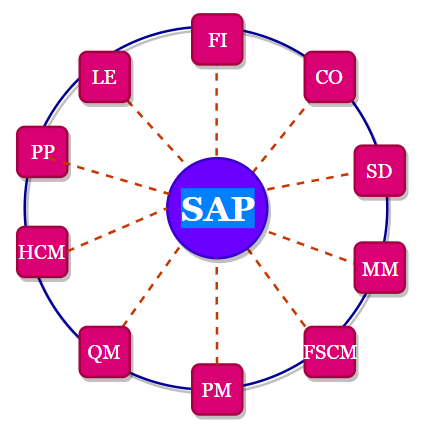
How SAP ERP Connects Business Departments
SAP ERP is used to coordinate processes that cross departmental boundaries. A business event is entered once at the appropriate stage, and the system applies configured rules to determine the related documents, accounting entries, inventory movements, approvals, or follow-up tasks.
Consider a simple purchasing process:
- A department creates a purchase requisition for a required material or service.
- Purchasing converts the approved requirement into a purchase order.
- The warehouse or requesting department records the receipt of goods or confirmation of services.
- Accounts payable records the supplier invoice.
- The system checks relevant purchasing, receipt, tax, and accounting information.
- Payment is processed according to the organization’s payment controls and due dates.
This integration reduces repeated data entry, but it does not eliminate the need for accurate master data, process design, approvals, user training, security controls, and regular system maintenance.
History and Evolution of SAP Software
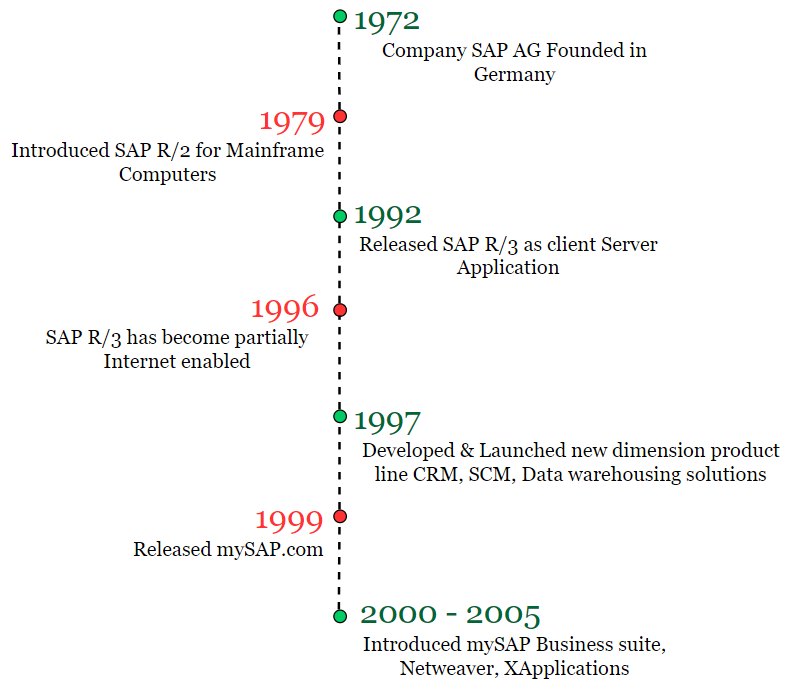
SAP was founded in Germany in 1972. Its software evolved from early financial accounting applications into integrated enterprise systems supporting multiple business functions, industries, countries, languages, and currencies.
- SAP R/1: An early real-time financial accounting system.
- SAP R/2: A mainframe-based enterprise system used by large organizations.
- SAP R/3: A client-server ERP generation built around presentation, application, and database layers.
- SAP ECC: The ERP Central Component generation that expanded and consolidated core enterprise processes.
- SAP S/4HANA: A newer ERP suite designed for the SAP HANA database and available through different deployment models.
Why Organizations Use SAP Systems
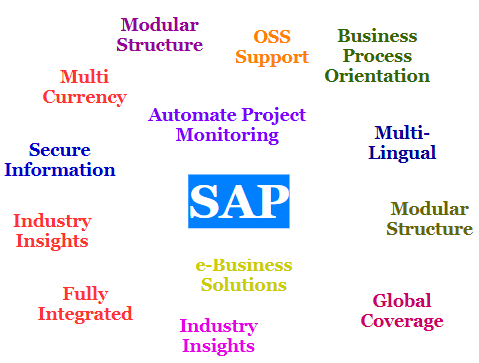
- To standardize business processes across departments, legal entities, or locations.
- To maintain consistent master data for customers, suppliers, materials, accounts, and organizational structures.
- To connect operational transactions with financial accounting and management reporting.
- To support multiple companies, currencies, languages, plants, warehouses, and sales organizations.
- To apply approval workflows, segregation of duties, and role-based authorizations.
- To integrate enterprise processes with external applications, banks, suppliers, customers, tax services, and e-commerce platforms.
- To obtain a consolidated view of business operations from related transactional data.
The suitability of SAP depends on business requirements, implementation scope, operating model, budget, technical architecture, data quality, and the organization’s ability to manage change.
Major SAP ERP Product Generations
SAP product names and releases have changed over time. The following table provides a simplified view of the main ERP generations rather than a complete release history.
| SAP product generation | General description |
|---|---|
| SAP R/1 | Early real-time financial software. |
| SAP R/2 | Mainframe-based integrated enterprise software. |
| SAP R/3 | Client-server ERP based on a three-tier architecture. |
| SAP ERP and SAP ECC | Expanded ERP capabilities for finance, logistics, human resources, and related business functions. |
| SAP S/4HANA | Newer ERP suite designed for SAP HANA and available through cloud and on-premise deployment options. |
A specific organization may use a particular release, enhancement package, industry solution, cloud edition, or combination of SAP and non-SAP applications. Product availability and maintenance timelines should be verified against current SAP documentation before planning an implementation or migration.
SAP ERP Modules and Business Functions
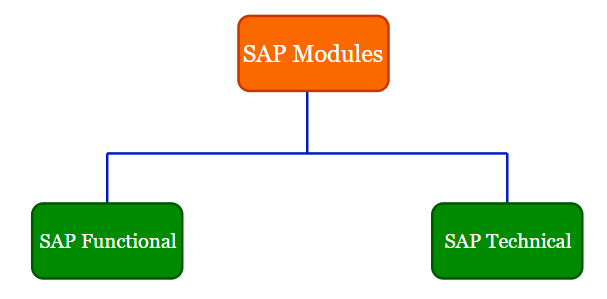
SAP systems provide different modules and application areas for managing business activities. The modules in SAP are often grouped into functional and technical areas.
- Functional modules: Applications used to configure and execute business processes.
- Technical areas: Tools and services used to develop, integrate, administer, secure, and operate SAP systems.
Common SAP ERP functional areas include:
- Financial Accounting
- Management Accounting and Controlling
- Sales and Distribution
- Materials Management and Procurement
- Production Planning
- Human Capital Management
- Quality Management
- Plant Maintenance
- Warehouse and Inventory Management
- Project Systems
- Asset Accounting
- Service Management
SAP Financial Accounting (SAP FI)
SAP FI supports general ledger accounting, accounts payable, accounts receivable, asset accounting, bank accounting, financial closing, and statutory reporting. Transactions from logistics and other modules can generate related accounting documents when configured to do so.
SAP Controlling (SAP CO)
SAP CO supports internal cost and performance management. It can be used for cost centers, internal orders, product costing, profitability analysis, planning, allocations, and management reporting.
SAP Sales and Distribution (SAP SD)
SAP SD supports processes such as inquiries, quotations, sales orders, pricing, availability checks, shipping, delivery, billing, and customer-related reporting. It commonly integrates with finance, materials management, production, and warehouse processes.
SAP Materials Management (SAP MM)
SAP MM supports material master data, purchasing, purchase requisitions, purchase orders, goods movements, supplier-related processes, inventory management, and invoice verification. It integrates with finance, controlling, sales, production, maintenance, and warehouse functions.
SAP Human Capital Management (SAP HCM)
SAP HCM supports human-resource processes such as organizational management, employee administration, time management, payroll, personnel development, and reporting. The exact functionality available depends on the deployed SAP products and country-specific requirements.
SAP Production Planning, Maintenance, and Quality
- Production Planning: Supports material requirements planning, bills of material, routings, production orders, capacity planning, and manufacturing execution processes.
- Plant Maintenance: Supports technical objects, notifications, maintenance orders, preventive maintenance, work scheduling, and maintenance costs.
- Quality Management: Supports inspection planning, quality inspections, results recording, defects, certificates, and quality-related controls.
SAP ERP Example: From Customer Order to Payment
An order-to-cash process shows how multiple SAP business areas can work together:
- A sales representative creates a customer sales order.
- The system checks customer data, pricing conditions, credit rules, and product availability.
- A delivery document is created and warehouse activities are completed.
- Goods issue reduces inventory and records the relevant material movement.
- A billing document is created for the customer.
- The billing transaction posts the corresponding financial entries.
- Accounts receivable records and clears the customer payment.
This example illustrates why SAP is described as an integrated system: sales, inventory, logistics, and financial accounting participate in one connected process.
SAP R/3 Three-Tier Architecture
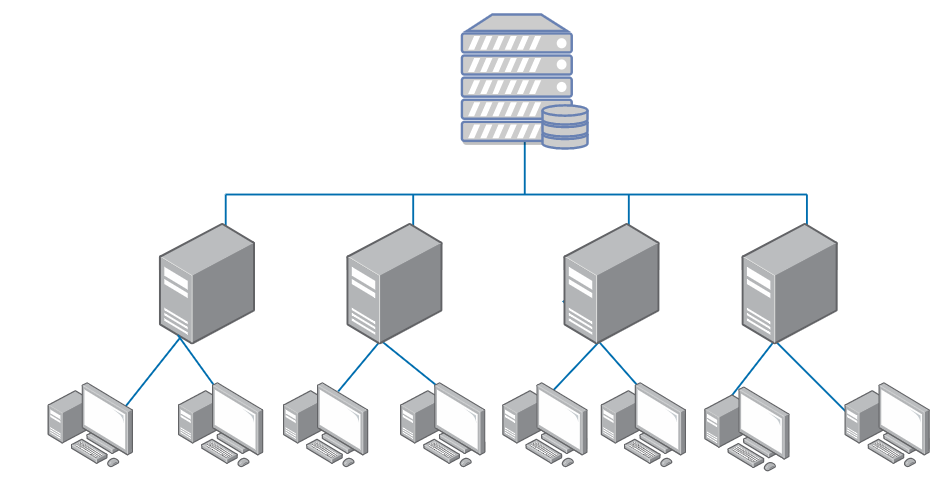
A traditional SAP R/3 system is commonly explained through a three-tier client-server architecture. The tiers separate the user interface, business processing, and data storage responsibilities.
- Presentation layer: Provides the user interface through which users interact with the system.
- Application layer: Processes business logic, user requests, background jobs, workflows, and application services.
- Database layer: Stores transactional data, master data, configuration, and technical system information.
The phrase R/3 is associated with real-time processing and the three-tier architecture. Modern SAP environments may also include browsers, mobile applications, APIs, cloud services, integration platforms, analytics systems, and additional databases.
SAP System Landscape: Development, Quality, and Production
An SAP system landscape is the arrangement of systems used to configure, test, and operate SAP applications. A common landscape contains separate environments so that changes can be tested before they affect live business operations.
- Development system: Used for configuration, development, and initial unit testing.
- Quality assurance system: Used for integration testing, user acceptance testing, regression testing, and validation.
- Production system: Used for live business transactions and operational reporting.
Changes are normally moved through the landscape using controlled transport and release procedures. Some organizations also maintain sandbox, training, pre-production, disaster-recovery, or dedicated project systems.
SAP Implementation Phases and ASAP Methodology
ASAP, or Accelerated SAP, is an older SAP implementation methodology that organized implementation work into defined phases. Current projects may use other SAP methodologies, agile delivery models, or organization-specific approaches, but the following phases remain useful for understanding a traditional SAP implementation lifecycle.
- Project preparation: Define objectives, scope, governance, team structure, systems, and project standards.
- Business blueprint: Document business requirements, process design, organizational structures, and solution gaps.
- Realization: Configure the system, develop required enhancements, build integrations, and conduct testing.
- Final preparation: Complete user training, data migration, cutover planning, security validation, and production readiness checks.
- Go-live and support: Move operations to the production system and provide stabilization support.
- Continuous improvement: Monitor processes, correct defects, improve controls, and implement approved enhancements.

SAP Deployment Types
SAP applications may be deployed through different operating models. The correct choice depends on product availability, control requirements, customization needs, regulatory obligations, integration complexity, internal skills, and cost considerations.
- On-premise: The organization operates the software in its own data center or in infrastructure managed on its behalf.
- Private cloud: SAP applications run in a dedicated cloud environment with an agreed operating model.
- Public cloud: Standardized cloud services are delivered and maintained by the service provider.
- Hybrid landscape: On-premise and cloud applications are connected to support different business requirements.
Advantages and Limitations of SAP ERP
Potential advantages of an SAP ERP implementation include:
- Integrated processes across finance, sales, procurement, inventory, production, maintenance, and projects.
- Consistent business rules and shared master data across organizational units.
- Improved traceability between operational documents and financial postings.
- Support for multi-company, multi-currency, multi-language, and international operations.
- Centralized security roles, approvals, reporting, and audit information.
- Standard process templates that can be configured for different industries and operating models.
Important limitations and implementation challenges include:
- Implementation can require substantial process analysis, configuration, testing, data cleansing, and user training.
- Customization may increase complexity, maintenance effort, and migration difficulty.
- Poor master data can cause errors across several integrated processes.
- Users may resist process changes when roles and responsibilities are not explained clearly.
- Licensing, infrastructure, consulting, integration, support, and internal staffing costs must be evaluated together.
- Strong governance is required for security, transports, system changes, and segregation of duties.
SAP ERP Terms Beginners Should Know
| Term | Meaning in an SAP context |
|---|---|
| Master data | Reusable records such as customers, suppliers, materials, accounts, assets, and employees. |
| Transaction data | Business records created by day-to-day activities, such as orders, deliveries, invoices, receipts, and payments. |
| Configuration | Settings that define organizational structures, process rules, document behavior, and system controls. |
| Client | A logical environment within an SAP system that can contain its own data and configuration. |
| Company code | An organizational unit commonly used for external financial accounting and reporting. |
| Plant | An organizational unit used in logistics for locations such as manufacturing facilities, warehouses, or service sites. |
| Transaction code | A traditional SAP GUI shortcut used to open a transaction or application function. |
| Transport | A controlled package used to move configuration or development changes between SAP systems. |
Frequently Asked Questions About SAP ERP
What is the definition of SAP ERP?
SAP ERP is enterprise resource planning software that connects business functions through shared data, configured processes, controls, and reporting. It can support finance, procurement, sales, inventory, production, maintenance, projects, human resources, and related operations.
What is the full form of SAP?
SAP is commonly expanded in English as Systems, Applications, and Products in Data Processing. SAP is also the name of the company that develops SAP enterprise software.
What is SAP ERP used for?
SAP ERP is used to record, control, and report business activities. Examples include creating sales orders, purchasing materials, receiving inventory, planning production, maintaining equipment, processing payroll, posting accounting entries, and preparing financial reports.
Is SAP the same as ERP?
No. ERP is a category of software used to manage integrated enterprise processes. SAP is a software company that provides ERP and other business applications. SAP ERP is one implementation of the broader ERP concept.
What is the difference between SAP ECC and SAP S/4HANA?
SAP ECC belongs to an earlier SAP ERP generation, while SAP S/4HANA is a newer ERP suite designed for the SAP HANA database. They differ in areas such as data model, user experience, available functions, deployment options, and technical architecture. The exact differences depend on the releases and scope being compared.
Editorial QA Checklist for This SAP ERP Tutorial
- Confirm that SAP is described as both a company name and a product-family name.
- Do not present SAP R/3 or SAP ECC as the latest SAP ERP generation.
- Distinguish the general ERP concept from SAP ERP products.
- Verify that SAP module descriptions explain business functions without implying that every organization uses every module.
- Check that architecture, landscape, and implementation terminology is presented as a common model rather than a universal configuration.
- Avoid unsupported market-share, product-ranking, or performance claims.
- Verify current product names, release availability, and maintenance dates against official SAP documentation before publishing time-sensitive details.