 TutorialKart.com
PostgreSQL CREATE DATABASE
The PostgreSQL CREATE DATABASE statement creates a new database on the current PostgreSQL server. You can run it from the psql SQL shell, another PostgreSQL client, or create the database through pgAdmin.
To create a database, the connected role must be a PostgreSQL superuser or have the CREATEDB privilege. You must also run the statement outside a transaction block.
PostgreSQL CREATE DATABASE Syntax
CREATE DATABASE database_name;Replace database_name with the name of the database to create. Use an unquoted lowercase name when possible. A quoted name is case-sensitive and must be quoted whenever it is referenced.
Create a PostgreSQL Database Using the psql SQL Shell
Start the SQL Shell (psql) and connect to an existing database, such as postgres. Then run the following SQL query.
CREATE DATABASE mydb;Here, mydb is the name of the database being created. PostgreSQL returns CREATE DATABASE when the command succeeds.
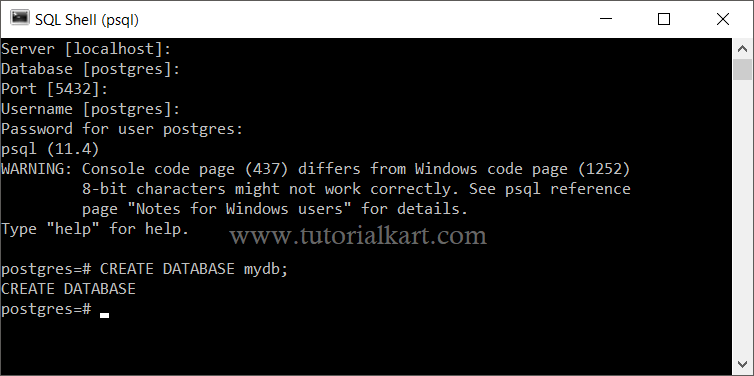
A new database named mydb is now available on the PostgreSQL server.
Verify the New PostgreSQL Database in psql
Use the \l psql command to list databases and confirm that mydb exists.
\lYou can then connect to the database with the following psql command.
\c mydbThe \l and \c commands are psql meta-commands. They are not SQL statements and should be entered directly at the psql prompt.
Create a PostgreSQL Database with an Owner
Use the OWNER option when a specific PostgreSQL role should own the new database. The specified role must already exist, and the current user must have permission to assign it.
CREATE DATABASE appdb
OWNER app_user;
The database owner can create schemas and objects in the database and can grant database-level privileges to other roles.
Create a PostgreSQL Database with Encoding and Locale Settings
The CREATE DATABASE statement can also define the database encoding, locale, template, tablespace, and connection limit. The following example creates a UTF-8 database using template0.
CREATE DATABASE reporting_db
WITH
    OWNER = reporting_user
    ENCODING = 'UTF8'
    TEMPLATE = template0
    CONNECTION LIMIT = 50;
template0 provides a clean template and is commonly used when the requested encoding or locale differs from the server’s default template database. Locale names vary by operating system, so use locale values that are installed on the PostgreSQL server.
Create a PostgreSQL Database from the Command Line
PostgreSQL also provides the createdb command-line utility. It connects to the server and sends a CREATE DATABASE command.
createdb -U postgres mydbUse -h for a remote host and -p for a non-default port when required.
createdb -h localhost -p 5432 -U postgres mydbCreate a PostgreSQL Database Using pgAdmin
Open pgAdmin and connect to the required PostgreSQL server. Depending on the PostgreSQL installation package, pgAdmin may be installed with PostgreSQL or installed separately.
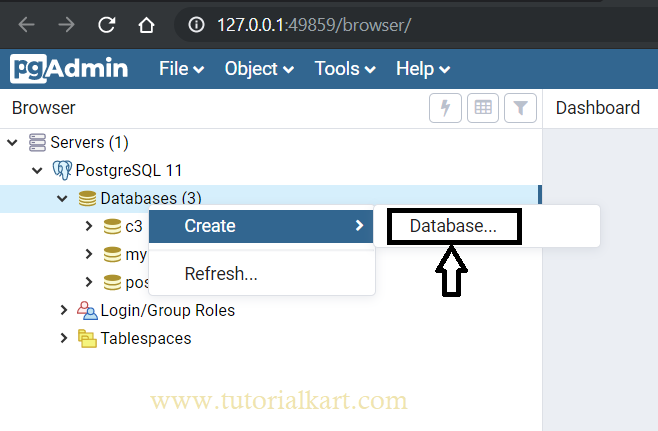
In the Browser panel, expand the server, right-click Databases, and select Create followed by Database.
The Create – Database dialog appears.
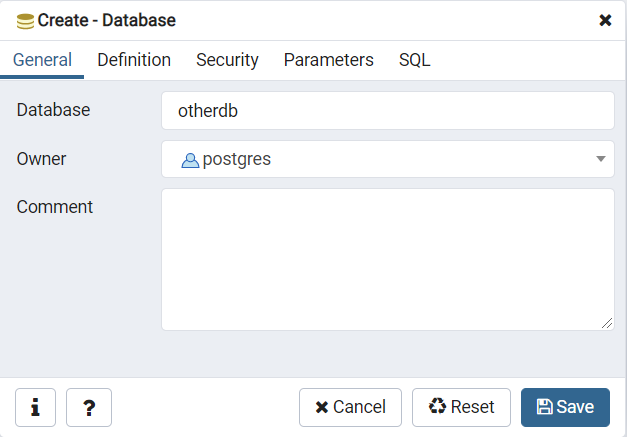
Enter the new name in the Database field. Select an owner when the database should belong to a role other than the connected user. You may also add a descriptive comment.
For a basic database using the server defaults, enter the database name and click Save. Use the remaining tabs only when you need to customize database properties.
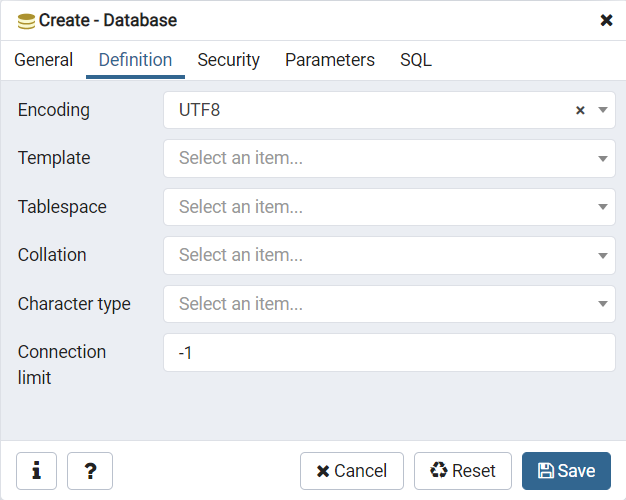
Configure PostgreSQL Database Definition Settings
The Definition tab contains options such as encoding, template, tablespace, collation, character classification, and connection limit. Keep the defaults unless the application has a specific requirement.
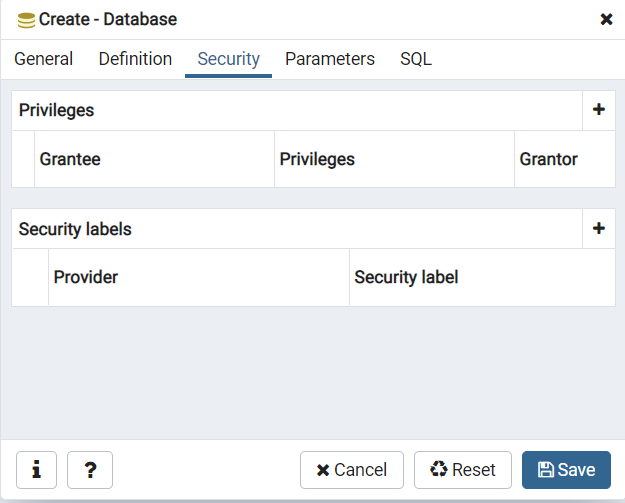
Configure PostgreSQL Database Security
The Security tab can be used to grant database privileges to roles. Security labels are intended for PostgreSQL security-label providers and are not a replacement for normal role and privilege management.
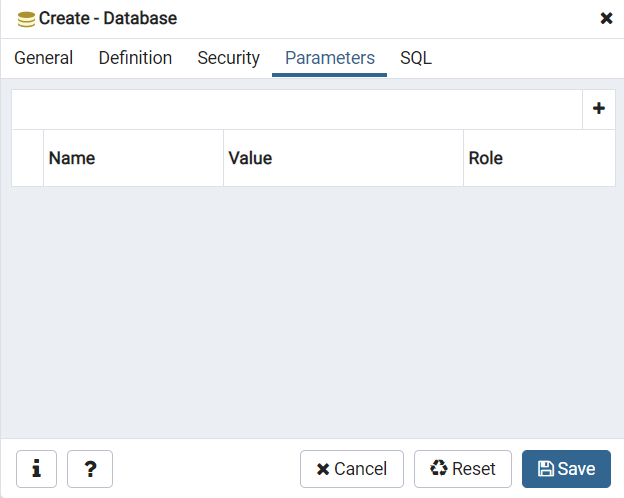
Set PostgreSQL Database Parameters
The Parameters tab allows supported database-level configuration parameters to be assigned. Add a parameter only when its effect is understood and the application requires a value different from the server default.
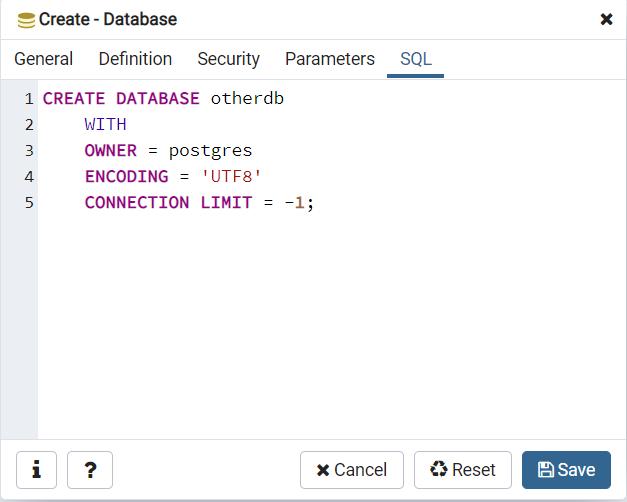
Review the CREATE DATABASE SQL Generated by pgAdmin
The SQL tab shows the SQL statement generated from the values selected in the dialog. Review this statement before saving when you have changed the owner, encoding, template, tablespace, locale, or connection limit.
Save and Confirm the New Database in pgAdmin
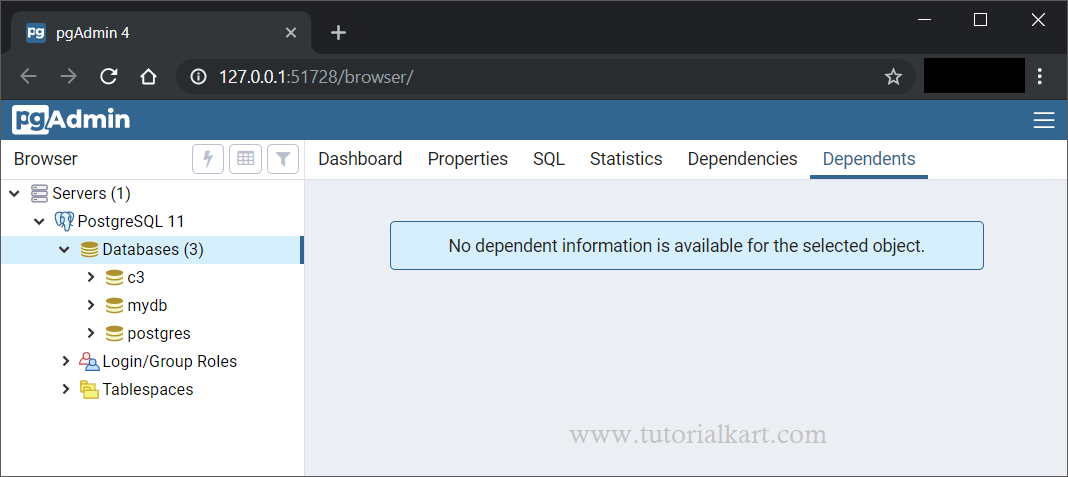
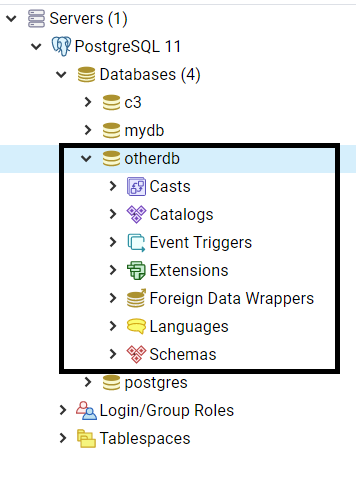
Click Save to create the database. It should appear under the Databases node. Refresh the node if the new database is not displayed immediately.
Common PostgreSQL CREATE DATABASE Errors
Permission Denied to Create Database
This error means the connected role is neither a superuser nor a role with the CREATEDB attribute. Connect with an authorized role or ask an administrator to grant the required privilege.
ALTER ROLE app_user CREATEDB;Grant this privilege only to roles that are allowed to create databases.
Database Already Exists
PostgreSQL returns an error when another database already uses the requested name. Unlike some other PostgreSQL creation statements, CREATE DATABASE does not provide an IF NOT EXISTS clause. Check the database list before creating it or choose another name.
CREATE DATABASE Cannot Run Inside a Transaction Block
Run CREATE DATABASE as a standalone statement. Do not place it between BEGIN and COMMIT, and do not execute it through a migration wrapper that automatically opens a transaction.
Source Database Is Being Accessed by Other Users
When a custom template database is used, PostgreSQL may reject the operation if another session is connected to that template. Disconnect active sessions from the template and try again.
PostgreSQL CREATE DATABASE Questions
Can PostgreSQL create a database only if it does not already exist?
No. PostgreSQL does not support CREATE DATABASE IF NOT EXISTS. Check the database catalog or the psql database list before issuing the statement.
What is the default owner of a newly created PostgreSQL database?
By default, the role that executes CREATE DATABASE owns the new database. Use the OWNER option to assign another eligible role.
Does CREATE DATABASE also create tables?
No. It creates the database and copies the contents of the selected template database. Application tables, indexes, and other objects must be created after connecting to the new database.
How do I connect to the new database in psql?
Enter \c database_name at the psql prompt. From a terminal, you can also start a new connection with psql -d database_name.
PostgreSQL Database Creation Summary
Use CREATE DATABASE database_name; for a database that can inherit the server defaults. Add options such as OWNER, ENCODING, TEMPLATE, and CONNECTION LIMIT only when the database has specific requirements. In this PostgreSQL Tutorial, we created a PostgreSQL database using psql, the createdb command-line utility, and pgAdmin.