 TutorialKart.com
What is SAP ABAP Workbench?
SAP ABAP Workbench is the integrated development environment used to create, change, test, and manage ABAP repository objects in an SAP system. It brings together the ABAP programming language, ABAP Dictionary, program editor, function tools, screen tools, menu tools, form tools, and other utilities required for SAP application development.
ABAP Workbench is mainly used by ABAP developers and technical consultants to build custom reports, database objects, function modules, classical SAP GUI screens, enhancements, messages, and forms. In older SAP learning material, it is also referred to as the ABAP/4 Development Workbench. ABAP/4 is the older name of ABAP, while modern SAP systems generally use the term ABAP.
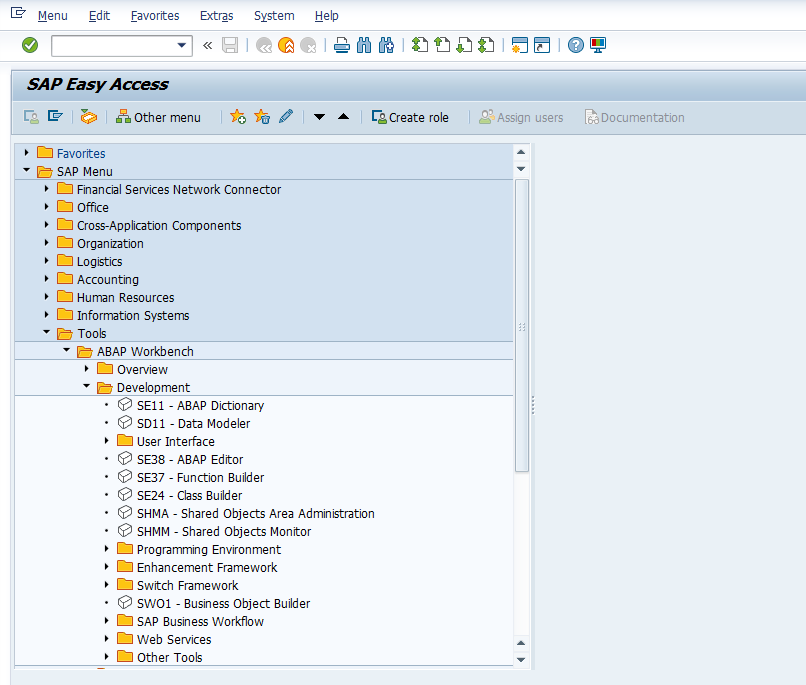
The below screen is the SAP ABAP/4 development workbench where an ABAP consultant work on developments.
Why ABAP Workbench Is Used in SAP Development
ABAP Workbench provides a central place to work with development objects that are stored in the SAP repository. A developer can create a program, define database table structures, maintain reusable function modules, design SAP GUI screens, create application messages, and organize the changes in transport requests.
- Development: Create reports, module pool programs, function modules, classes, interfaces, forms, and enhancements.
- Data modeling: Maintain database tables, views, data elements, domains, search helps, and lock objects using ABAP Dictionary.
- User interface design: Build classical SAP GUI screens, menu bars, toolbars, and function keys.
- Reuse: Create reusable function modules and messages that can be used across programs.
- Transport management: Save repository changes in development packages and transport them to quality and production systems.
SAP ABAP Workbench Tools and Common Transaction Codes
The important tools of ABAP workbench are
- Data dictionary
- ABAP Editor
- Function builder
- Screen painter
- Menu Painter
- Function builder
- Form painter
- Message class builder
The following table gives a quick overview of the main ABAP Workbench tools and the transaction codes commonly used to open them.
| ABAP Workbench tool | Common transaction code | Main use in SAP development |
|---|---|---|
| ABAP Dictionary | SE11 | Create and maintain tables, views, data elements, domains, search helps, and lock objects. |
| ABAP Editor | SE38 / SE80 | Create, change, check, activate, and execute ABAP programs. |
| Object Navigator | SE80 | Work with programs, function groups, classes, packages, screens, and other repository objects in one place. |
| Function Builder | SE37 | Create and test function modules and function groups. |
| Screen Painter | SE51 | Design classical SAP GUI screens, also called dynpros. |
| Menu Painter | SE41 | Create GUI statuses, menu bars, application toolbars, and function keys. |
| Form Painter | SE71 | Create and maintain SAPscript forms. |
| Message Class Builder | SE91 | Create and maintain message classes and message numbers. |
ABAP Data Dictionary in SAP Workbench
Data dictionary is the central and structural source of data for business applications. All the metadata definitions are maintained (Create/ Change/ Delete/ Display) in data dictionary. The data dictionary objects can be referred any where in SAP system.The important functions of ABAP data dictionary objects (DDIC) are
- Database tables
- Views
- Data types
- Type groups
- Domains
- Search helps
- Lock objects
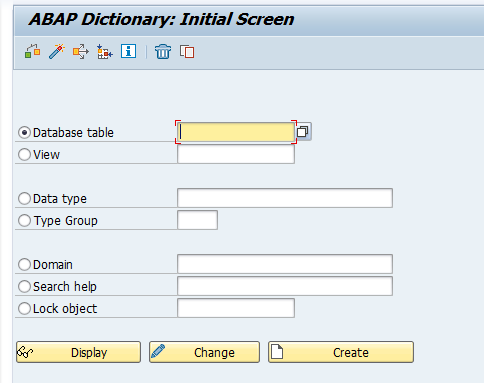
Transaction code “SE11” is used to work with data dictionary objects. In SE11, a developer can define the technical structure of data objects and activate them so that programs can use the same definitions consistently across the SAP system.
ABAP Editor in SAP Workbench
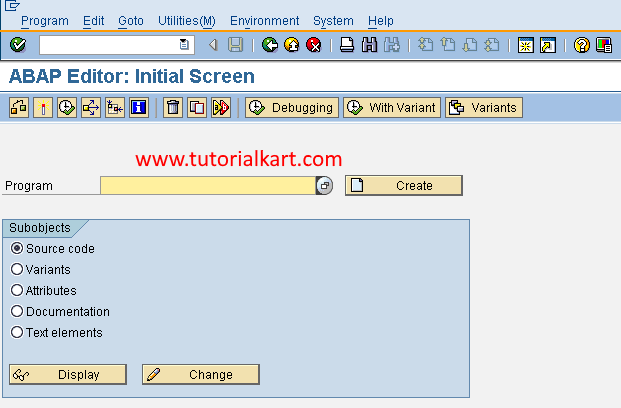
2. ABAP Editor : ABAP editor helps to create ABAP programs in SAP. SAP Tcode SE38 is used to work with ABAP editor.
The ABAP Editor is used to write source code for executable programs, include programs, module pool programs, and other ABAP development objects. Developers use it to write logic, check syntax, activate programs, execute test runs, and troubleshoot errors during development.
Screen Painter for SAP GUI Screen Development
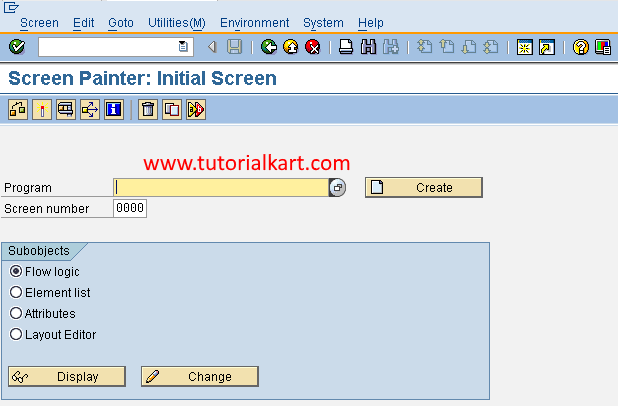
3. Screen Painter : Screen Painter is used to create global dictionary objects such as database tables, views, etc. SAP Tcode “SE51” is used to work screen painter.
In practical ABAP development, Screen Painter is used to design classical SAP GUI screens. These screens can contain input fields, output fields, table controls, buttons, tab strips, and other screen elements. The screen flow logic is then connected with ABAP processing blocks such as PBO and PAI modules.
Menu Painter for SAP GUI Status and Function Keys
3. Menu Painter: Menu Painter is used to create SAP GUI screens for SAP applications.
Menu Painter is used to define GUI status objects for SAP GUI applications. A GUI status controls the menu bar, standard toolbar, application toolbar, and function keys available to a user on a screen. It is commonly used in module pool programming where custom screens need their own buttons and menu options.
Function Builder for Function Modules in SAP ABAP
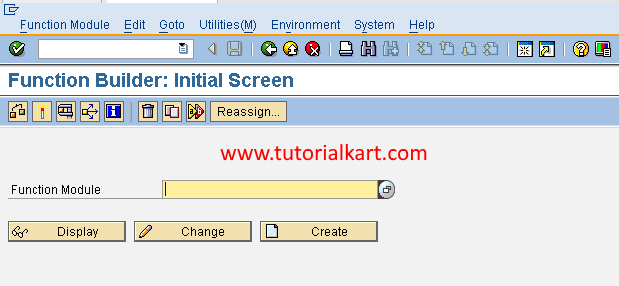
5. Function Builder: Function builder is used to create function modules in SAP. SAP Tcode “SE37” is used to work with function builder.
Function Builder is used to create, change, test, and document function modules. Function modules are reusable procedures that are grouped inside function groups. They can have importing, exporting, changing, and table parameters, and they are widely used in standard and custom SAP development.
Form Painter for SAPscript Business Forms
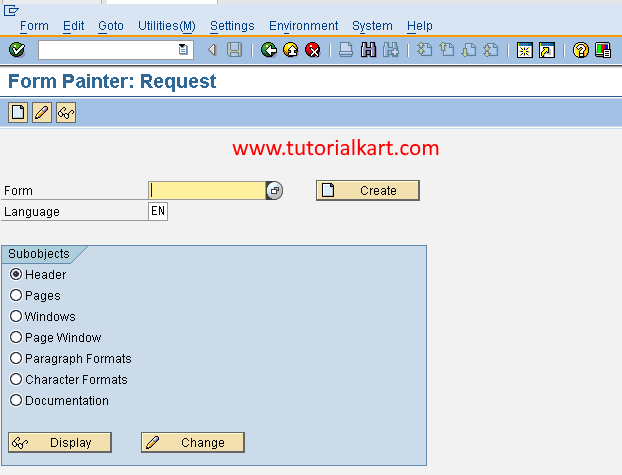
6. Form Painter: Form Painter is used to create SAP business documents. SAP Tcode “SE71” is used to work with saps scripts form painter.
Form Painter is used for SAPscript form maintenance. It is commonly associated with business documents such as invoices, purchase orders, delivery notes, and other printed outputs in older SAP implementations. In many newer implementations, Smart Forms or Adobe Forms may also be used depending on the system design.
Message Class Builder for ABAP Application Messages
7. Message class builder: Message class builder is used to create alerts
Message Class Builder is used to create and maintain message classes. Each message class can contain multiple message numbers with short message texts. ABAP programs use these messages to show errors, warnings, success messages, information messages, and termination messages in a consistent way.
Object Navigator SE80 in ABAP Workbench
Transaction code SE80, also called Object Navigator, is one of the most commonly used entry points into ABAP Workbench. It allows developers to browse and maintain many repository objects from one screen, including packages, programs, function groups, global classes, Web Dynpro objects, screens, and dictionary objects.
For beginners, SE38 and SE11 are easier for focused tasks, while SE80 is useful when working on a complete development object that has programs, includes, screens, GUI statuses, and related components.
ABAP Workbench Development Flow in a SAP System
A typical development flow in ABAP Workbench follows a controlled sequence. The exact steps depend on the object being created, but the general process is similar for most ABAP development work.
- Create or choose a development package.
- Create the required repository object, such as a program, table, function module, screen, or message class.
- Assign the object to a transport request if the system asks for one.
- Write or maintain the required technical definition or source code.
- Check syntax and resolve errors.
- Activate the object so it can be used by the system.
- Test the object with suitable data and user authorizations.
- Release the transport request after review and testing.
Common Beginner Mistakes in SAP ABAP Workbench
- Creating local objects by mistake: If the object must move to another SAP system, assign it to the correct package instead of saving it as a local object.
- Changing dictionary objects without checking impact: A table, data element, or domain may be used by many programs, so changes must be reviewed carefully.
- Forgetting activation: A saved object is not always active. Always activate programs, dictionary objects, screens, and related components before testing.
- Using the wrong tool: Use SE11 for dictionary objects, SE38 for simple program work, SE37 for function modules, SE51 for screens, and SE41 for GUI statuses.
- Testing only with developer authorization: Test important applications with realistic business user roles to catch authorization and screen-flow issues.
QA Checklist for SAP ABAP Workbench Tutorial Review
- Verify that each ABAP Workbench tool is matched with the correct transaction code.
- Check that Screen Painter is described as a SAP GUI screen design tool, not as a dictionary object tool.
- Check that Menu Painter is described for GUI statuses, menu bars, toolbars, and function keys.
- Confirm that ABAP Dictionary objects such as tables, views, data elements, domains, search helps, and lock objects are explained clearly.
- Confirm that the tutorial distinguishes older ABAP/4 terminology from current ABAP usage.
FAQs on SAP ABAP Workbench
What is the workbench in SAP ABAP?
The workbench in SAP ABAP is a collection of tools used to develop and maintain ABAP repository objects. It includes tools for programs, dictionary objects, function modules, screens, menus, forms, and messages.
Which tools are included in the ABAP Workbench?
Important ABAP Workbench tools include ABAP Dictionary, ABAP Editor, Object Navigator, Function Builder, Screen Painter, Menu Painter, Form Painter, and Message Class Builder.
What is SAP ABAP/4?
SAP ABAP/4 is the older name used for ABAP, the programming language used in SAP systems. Current SAP documentation and training generally use the shorter term ABAP.
What is the difference between SE38 and SE80 in ABAP Workbench?
SE38 is mainly used to create, change, and execute ABAP programs. SE80 is the Object Navigator, which gives access to many repository objects such as programs, packages, function groups, classes, screens, and dictionary objects from one place.
Is ABAP Workbench only for writing ABAP code?
No. ABAP Workbench is used for writing ABAP code, but it is also used for defining dictionary objects, creating function modules, designing SAP GUI screens, maintaining GUI statuses, creating forms, and maintaining message classes.