 TutorialKart.com
Source Qualifier Transformation in Informatica
A Source Qualifier Transformation defines how Informatica PowerCenter reads rows from a source. The Designer normally creates one automatically when a relational or flat-file source is added to a mapping. XML and COBOL sources use their corresponding source-handling transformations instead.
The Source Qualifier is an active, connected transformation. It is active because operations such as filtering, selecting distinct rows, and joining source tables can change the number of rows passed downstream. It is connected because it receives source data and supplies rows to other transformations or targets.
The transformation represents the instructions that the Integration Service uses when reading the source during a session. Unlike many other transformations in Informatica, a Source Qualifier cannot be made reusable.
What a Source Qualifier Can Do
- Select the source columns required by the mapping.
- Filter rows at the source by using a source filter or an SQL override.
- Join related tables from the same relational database when the connection and database rules permit it.
- Return distinct rows.
- Provide sorted input by configuring the number of sorted ports.
- Run Pre-SQL before reading the source and Post-SQL after the source operation.
- Control diagnostic detail through the tracing level.
Applying supported filtering, joining, or sorting in the Source Qualifier can allow the database to perform the work before rows enter the mapping. The result depends on the database, connection, generated SQL, and session configuration, so the resulting query should always be validated.
Source Qualifier Example: Read Employees with Commission
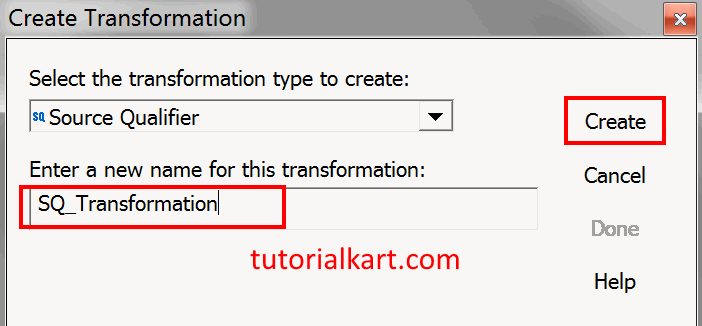
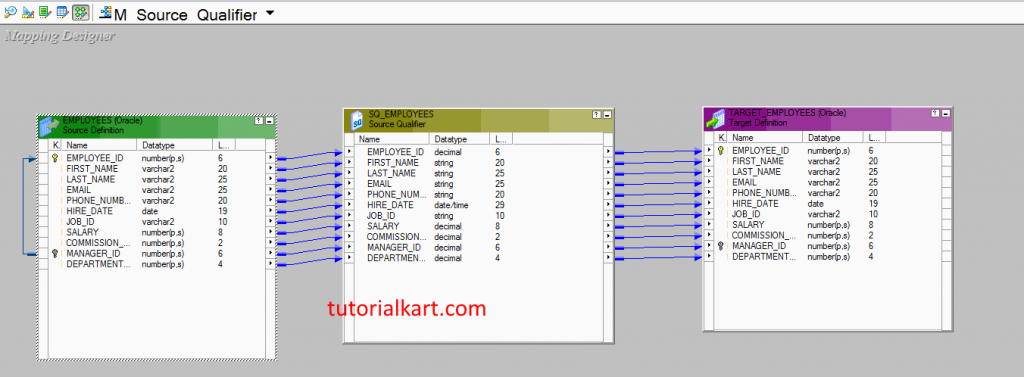
In this Informatica tutorial, the mapping reads employee records whose commission percentage is not null. The example uses the EMPLOYEES source, the TARGET_EMPLOYEES target, and a mapping named M_Source_Qualifier.
Open the mapping and double-click the Source Qualifier to edit its configuration. Confirm that the required source ports are present and connected to the downstream transformation or target.
Configure the Source Qualifier Properties
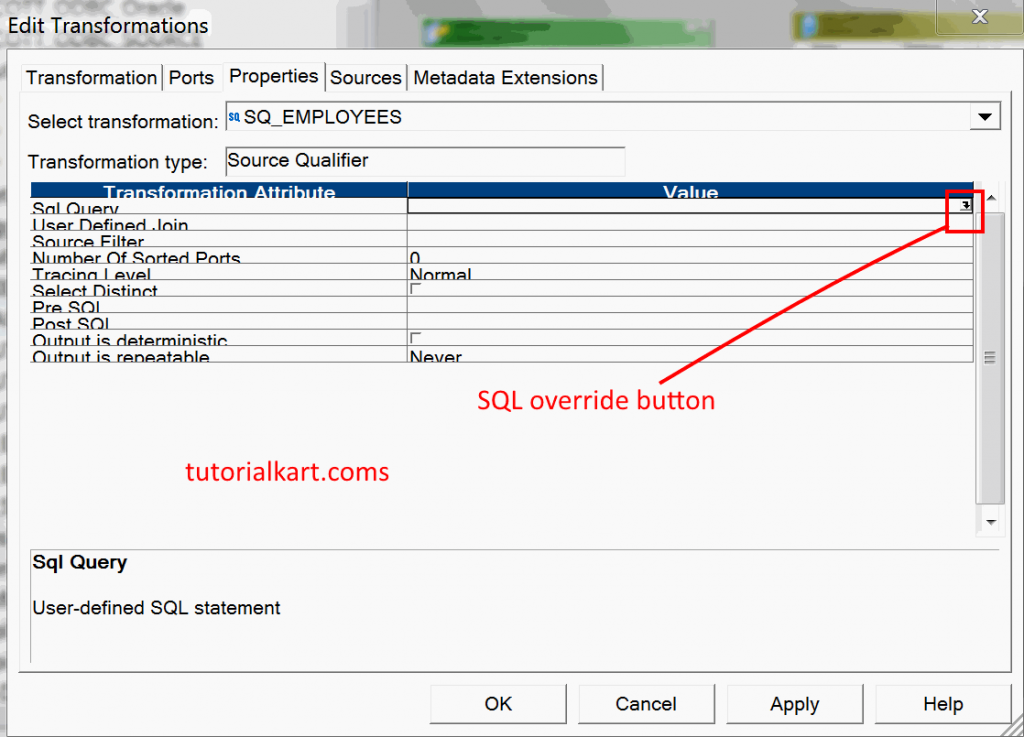
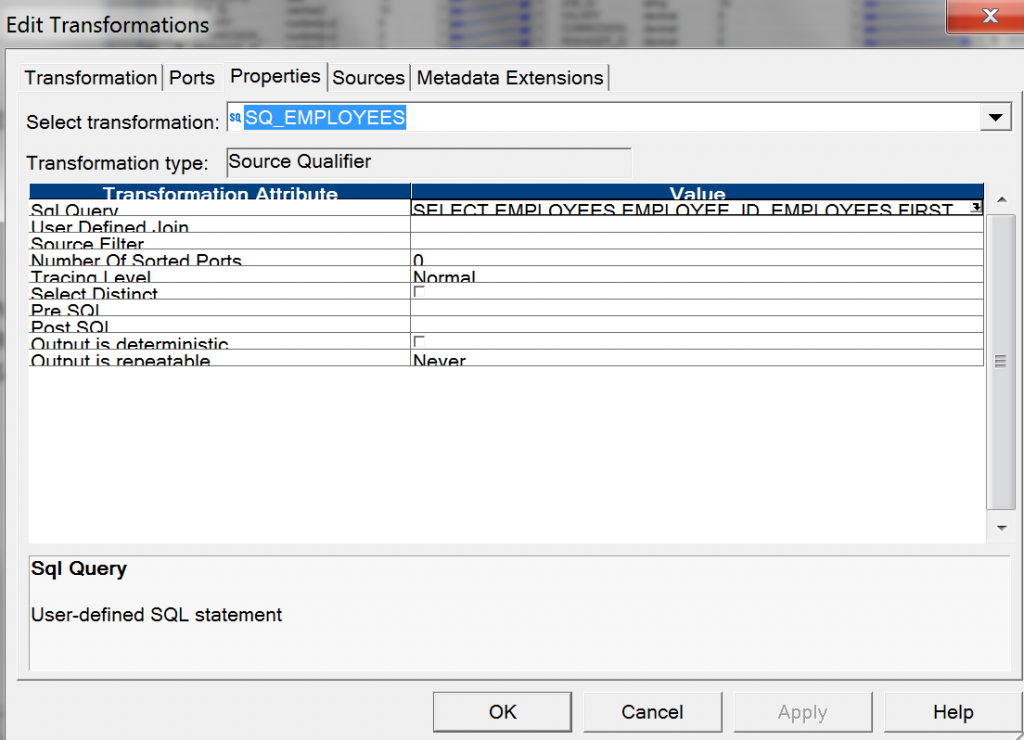
Open the Properties tab. Depending on the source and PowerCenter version, the available settings can include SQL Query, User Defined Join, Source Filter, Number of Sorted Ports, Tracing Level, Select Distinct, Pre-SQL, Post-SQL, Output Is Deterministic, and Output Is Repeatable.
| Source Qualifier property | Purpose |
|---|---|
| SQL Query | Overrides the SQL generated for a relational source. |
| User Defined Join | Specifies a join condition for compatible relational source tables. |
| Source Filter | Adds a condition that limits the rows read from the source. |
| Number of Sorted Ports | Declares how many leading ports form the sort key. |
| Select Distinct | Requests distinct rows from a relational source. |
| Pre-SQL and Post-SQL | Run SQL statements before or after the source read operation. |
| Tracing Level | Controls the amount of Source Qualifier detail written to the session log. |
Add the SQL Override for COMMISSION_PCT
The SQL Query property is used when the generated relational query must be overridden. Click the modification button beside SQL Query to open the SQL Editor.
The SQL Editor displays the Source Qualifier ports and available built-in variables. Generate the default SQL first so that the selected columns match the transformation ports.
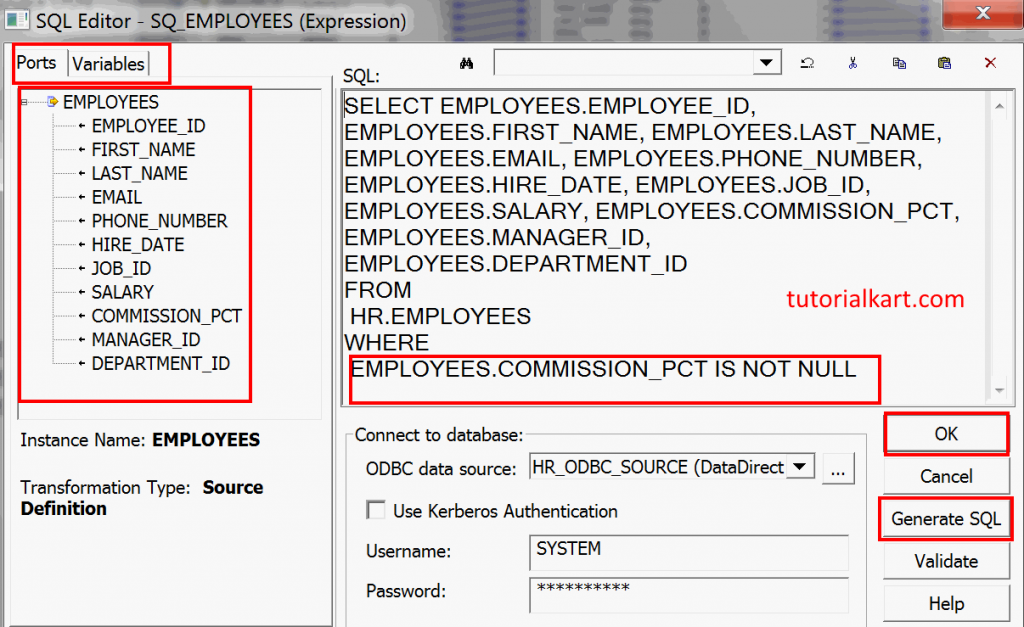
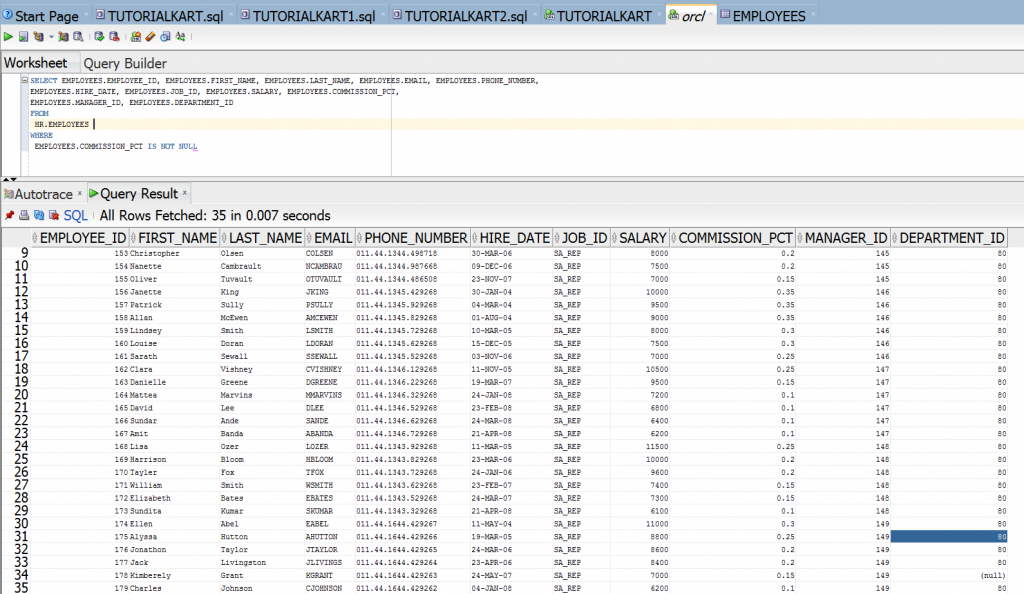
Click Generate SQL. PowerCenter creates a statement containing the source columns represented by the Source Qualifier ports. For this example, retain the generated select list and add a condition equivalent to the following:
WHERE EMPLOYEES.COMMISSION_PCT IS NOT NULLUse the actual owner, table alias, and column names shown in the generated query. Do not remove or reorder selected columns without also checking the Source Qualifier ports. Validate the SQL in the editor before saving it.
Configure Sorted Ports in the Source Qualifier
The Number of Sorted Ports property identifies the leading Source Qualifier ports that form the sort key. For example, a value of 2 means that the first two eligible ports define the sort order. Arrange the ports in the required order and verify that downstream transformations expect the same sorted input.
This setting should not be treated as a general replacement for a Sorter transformation. Confirm in the generated SQL and session log that the source supplies rows in the required order.
Save and Run the Source Qualifier Mapping
- Validate and save the M_Source_Qualifier mapping.
- Create a session and assign the correct source and target connections.
- Add the session to a workflow.
- Start the workflow and monitor its execution.
- Open the session log and review the generated or overridden SQL, source row count, target row count, and rejected rows.
See Create Workflow in Informatica.
Source Qualifier Transformation Output
After the workflow completes, the target should contain only the employee rows for which COMMISSION_PCT is not null. Compare the source and target row counts with the session log before accepting the result.
Source Qualifier vs Filter and Joiner Transformations
| Requirement | Source Qualifier | Separate transformation |
|---|---|---|
| Filter rows while reading a relational source | Use a source filter or SQL override when appropriate. | Use a Filter transformation when the condition must be evaluated inside the mapping pipeline. |
| Join compatible tables from the same relational source | Use a user-defined join or SQL override when the database can perform the join. | Use a Joiner when sources cannot be joined in one source query or mapping logic requires it. |
| Join heterogeneous sources | Not handled by one relational Source Qualifier query. | Use a Joiner transformation or redesign the data flow. |
| Reuse the transformation | A Source Qualifier cannot be reusable. | Other transformation types may support reusable definitions. |
Source Qualifier Validation Checklist
- Confirm that every required EMPLOYEES source column has a matching Source Qualifier port.
- Verify that the COMMISSION_PCT condition uses
IS NOT NULLrather than an equality comparison with NULL. - Validate the SQL override after changing source ports, table aliases, or source metadata.
- Check that sorted-port order matches the requirements of downstream transformations.
- Review the session log for the executed SQL and compare source, target, and rejected row counts.
- Confirm that Pre-SQL and Post-SQL statements do not make unintended database changes.
Source Qualifier Transformation FAQs
What is a Source Qualifier Transformation in Informatica?
It is the transformation that represents the rows PowerCenter reads from a source. Its properties can control source filtering, relational SQL, joins, distinct selection, sorted ports, and tracing.
Is a Source Qualifier active or passive?
A Source Qualifier is an active transformation because its configuration can change the number of rows passed through the mapping.
What is the difference between a Source Qualifier and a Joiner?
A relational Source Qualifier can push an eligible join into a query against compatible tables in the same source environment. A Joiner combines two input pipelines and is commonly used when the sources are heterogeneous or cannot be joined in one source query.
When should an SQL override be used in a Source Qualifier?
Use an SQL override when the generated relational query does not express the required selection, filtering, joining, or database-specific logic. Keep the output columns compatible with the Source Qualifier ports and validate the statement after every metadata change.
Can a Source Qualifier Transformation be reusable?
No. A Source Qualifier belongs to its mapping and cannot be converted into a reusable transformation.