 TutorialKart.com
Create a Basic Express.js Web Application
This tutorial shows how to create and run a basic Express.js web application with Node.js. The application starts a local web server, handles a GET request for the root URL, and sends a text response to the browser.
Express.js Web Application Prerequisites
- Node.js and npm installed on your computer
- A terminal or command prompt
- A text editor such as Visual Studio Code
You can confirm that Node.js and npm are available by running the following commands.
node --version
npm --version
Set Up the Express.js Project Folder
Create a folder named EXPRESS_WEBSERVER, navigate into it using a command prompt or terminal, and initialize the Node.js project.
mkdir EXPRESS_WEBSERVER
cd EXPRESS_WEBSERVER
npm init -y
npm install express
Installing Express locally adds it to the project’s dependencies and creates or updates the package.json file. The installation also creates a node_modules directory and usually a package-lock.json file.
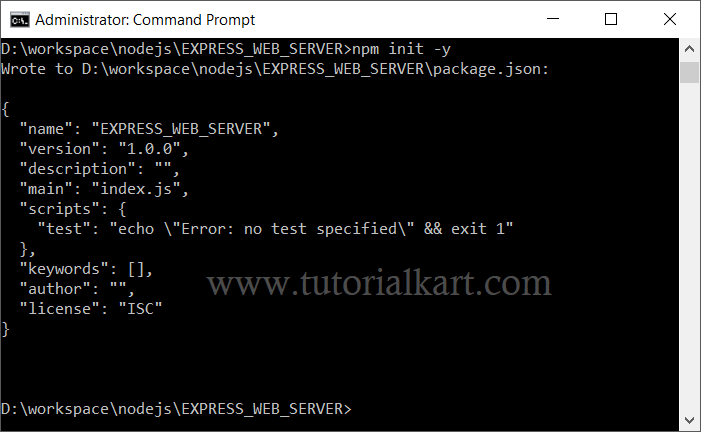
The screenshot shows the project setup process. Depending on the npm command used, the exact files displayed in your folder may differ.
Add the Express.js Application Code
Create a file named app.js in the project folder and copy the following contents into it.
app.js
var express = require('express')
var app = express()

app.get('/', function (req, res) {
   res.send('This is a basic Example for Express.js by TUTORIALKART')
})

var server = app.listen(8000)
This example uses CommonJS syntax with require(). It creates an Express application, defines one route, and starts the server on port 8000.
Run the Express.js Web Server
We will use Visual Studio Code for this Node.js project, although any editor and terminal can be used.
Open a terminal in the project directory and start the application with the following command.
node app.js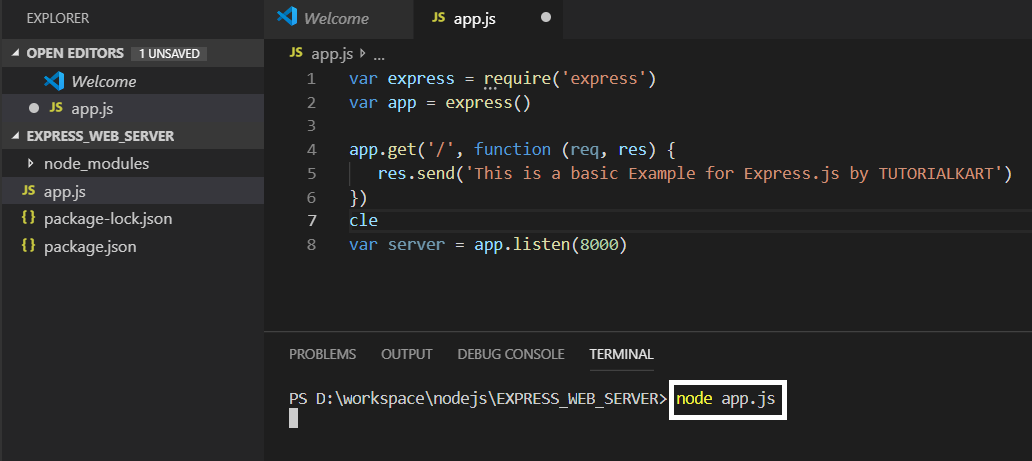
If the command returns no error, the Node.js process remains active and the Express server listens for requests on port 8000. The original example does not print a startup message, so a blank terminal is expected.
Open a browser and visit http://localhost:8000/.
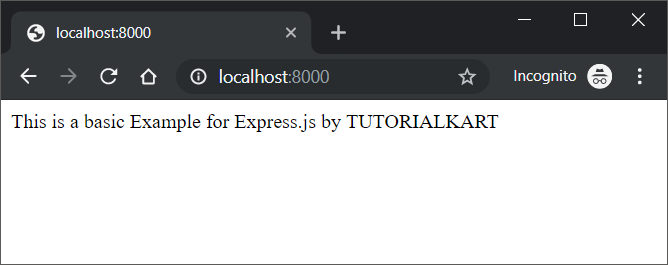
The browser sends a GET / request. Express matches the request to the root route and returns the text passed to res.send().
How the Express.js Example Works
Let us examine each part of app.js.
var express = require('express')The require('express') statement loads the Express package installed in the current project and assigns its exported function to the express variable.
var app = express()Calling express() creates an Express application object. The app object is used to register routes, configure middleware, change application settings, and start the HTTP server.
 app.get('/', function (req, res) {
    res.send('This is a basic Example for Express.js by TUTORIALKART')
 })
This code defines a route for HTTP GET requests made to the path /. The slash represents the application’s root URL.
The callback function runs whenever a matching request reaches the server. Its req parameter represents the incoming request, while res represents the response that will be sent to the client.
The res.send() method sends the supplied text as the HTTP response. Express also completes the response automatically, so no separate call to res.end() is needed in this route.
var server = app.listen(8000)The app.listen(8000) call starts the server and makes it listen on TCP port 8000. The returned server object is assigned to the server variable.
Print a Message When the Express Server Starts
You can provide a callback to app.listen(). The callback runs after the server begins listening, which makes it useful for printing the local URL.
app.listen(8000, function () {
  console.log('Express server is running at http://localhost:8000/')
})
Express server is running at http://localhost:8000/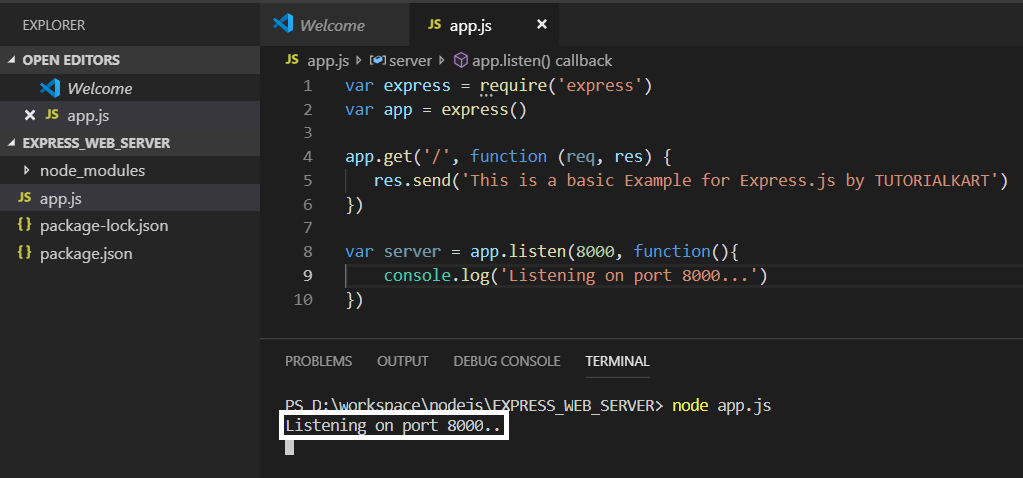
Add Another Route to the Express.js Application
Each combination of an HTTP method and a URL path can have its own route handler. For example, the following route responds to GET /about.
app.get('/about', function (req, res) {
  res.send('About this Express application')
})
Place this route before the call to app.listen(), restart the server, and visit http://localhost:8000/about.
Use an Environment Variable for the Express Port
A fixed port is suitable for a local example. In a deployed application, the hosting environment may provide the port through an environment variable. The following pattern supports both cases.
var port = process.env.PORT || 8000

app.listen(port, function () {
  console.log('Express server is listening on port ' + port)
})
Stop or Restart the Express.js Server
Press Ctrl+C in the terminal to stop the running Node.js process. After changing app.js, stop the process and run node app.js again so the server uses the updated code.
Fix Common Express.js Web Application Errors
Cannot find module ‘express’
This error usually means Express has not been installed in the current project. Run the installation command from the folder containing package.json.
npm install expressAddress already in use on port 8000
Another process may already be using port 8000, or an earlier instance of the application may still be running. Stop the existing process or change the application to use another available port, such as 3000.
Cannot GET a requested path
Express returns a not-found response when no route matches the requested method and path. For example, visiting /about before defining an app.get('/about', ...) route produces a response such as Cannot GET /about.
The browser cannot connect to localhost
Confirm that node app.js is still running, check the terminal for errors, and verify that the browser URL uses the same port supplied to app.listen().
Express.js Web Application Questions
Does Express.js include its own JavaScript runtime?
No. Express runs on Node.js. Node.js executes the JavaScript code, while Express provides APIs for routing, middleware, requests, responses, and other web application tasks.
Should Express be installed globally or locally?
Install Express locally in each project with npm install express. This records the dependency in package.json and allows the project to install the required version consistently.
What does localhost mean in the Express URL?
localhost refers to the computer on which the server is running. The URL http://localhost:8000/ therefore connects to port 8000 on the same computer.
Why does the Express server keep the terminal busy?
The Node.js process remains active because the server is waiting for incoming requests. Use Ctrl+C when you need to stop it.
Express.js Web Application Summary
In this Express.js Tutorial, we created a Node.js project, installed Express, defined a route for GET /, started a server on port 8000, and opened the application in a browser. The example also introduced the Express application object, request and response objects, route handlers, and the app.listen() method.