 TutorialKart.com
Swift – Check if Variable is not nil
In Swift, if we define a variable to be an optional variable, in that case, this variable can have no value at all. If optional variable is assigned with nil, then this says that there is no value in this variable.
To check if this variable is not nil, we can use Swift Inequality Operator !=.
The syntax to check if variable x is not nil is
if x != nil {
    //code
}
Examples
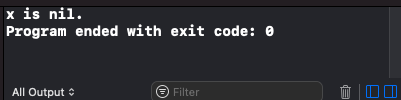
In the following program, we will check if the optional integer x is not nil. Since x is an optional variable, there would be no value stored in x, meaning x would be nil.
main.swift
var x : Int?
if x != nil {
    print("x is not nil.")
} else {
    print("x is nil.")
}
Output
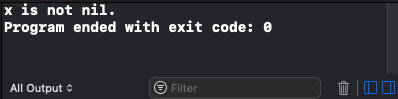
Now, let us assign some value to x and check again if x is not nil.
main.swift
var x : Int?
x = 25
if x != nil {
    print("x is not nil.")
} else {
    print("x is nil.")
}
Output
Conclusion
In this Swift Tutorial, we learned how to check if a variable is not nil, or check if the variable is not having any value, in Swift programming.