 TutorialKart.com
Salesforce Object Relationships: Master-Detail, Lookup and Many-to-Many
Salesforce Object Relationships define how records from one object are connected to records in another object. In this Salesforce Tutorial, we will learn about important Salesforce object relationships such as master-detail relationship, Lookup Relationship. In our previous Salesforce Tutorial, we learned about different salesforce field types. In this tutorial, we will understand when to use master-detail relationship, when to use lookup relationship, how parent and child records behave, and how many-to-many relationships are created with a junction object.
What are Salesforce object relationships?
Salesforce Object relationships are associations between two objects. A relationship field on one object stores a reference to a record from another object. This reference allows users, reports, formulas, automation, and page layouts to connect related business data.
For example, an Account can be related to many Contact records. The Account record represents the company, and the Contact records represent people associated with that company. The relationship makes it possible to view contacts from the account page and understand which contacts belong to which account.
In Salesforce.com, relationships are commonly used to fetch data from related object records, control record visibility, support roll-up calculations, and create a meaningful data model. The correct relationship type should be selected based on how tightly the two objects must be connected.
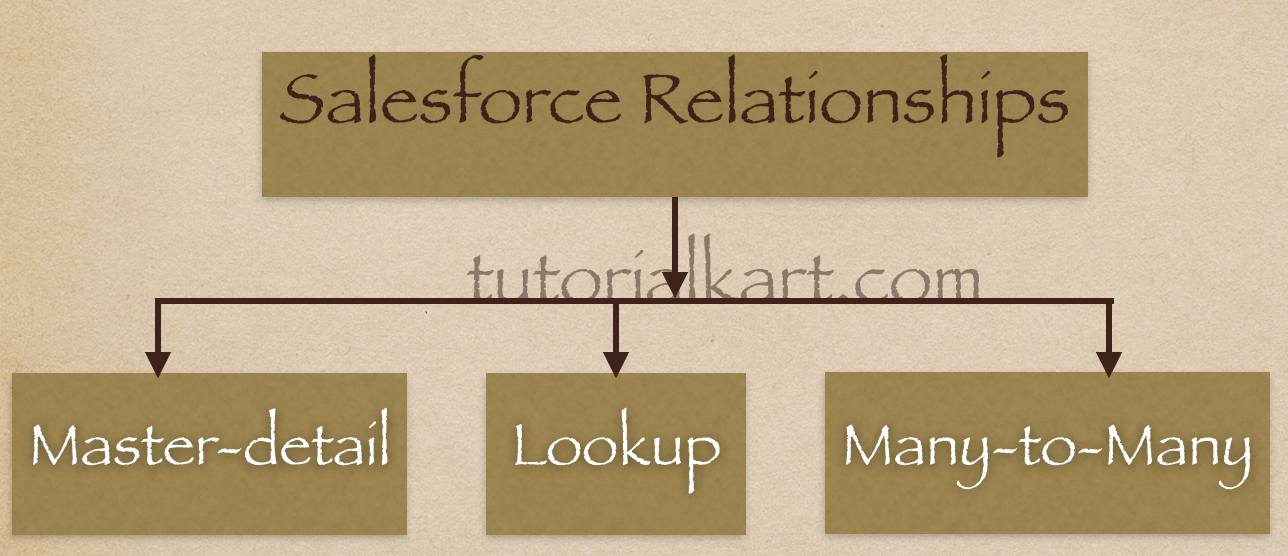
Types of Salesforce object relationships
The main Salesforce object relationships used in a data model are listed below.
- One-to-many relationship: One parent record can be associated with many child records. This relationship is implemented mainly through master-detail relationship and lookup relationship.
- Many-to-many relationship: Many records of one object can be connected to many records of another object. In Salesforce, this is usually built with a junction object and two master-detail relationships.
- Self-relationship: A record can be related to another record of the same object, such as an Account related to a parent Account.
- Hierarchical relationship: A special lookup relationship available on the User object, often used to connect one user to another user, such as a manager relationship.
Master-detail relationship in Salesforce
A master-detail relationship in Salesforce creates a strong parent-child connection between two objects. The parent object is called the master object, and the child object is called the detail object. The detail record depends on the master record for ownership, sharing, and sometimes even existence.
- Master-detail relationship forms a tight bond between parent object and child object.
- Child records must be associated with a parent record. They cannot remain orphan records.
- When the parent record is deleted, the related child records are also deleted. This behavior is called cascade delete.
- The master-detail relationship field is required on the detail object.
- Roll-up summary fields can be created on the master object to summarize child records.
- The child record inherits ownership, sharing, and security behavior from the parent record.
- The detail record does not have an independent owner field in the same way a lookup child record does.
- Standard objects cannot usually be used as the detail object in a custom master-detail relationship. For example, Account cannot be made the detail object.
Example: Suppose an Invoice object is the master object and an Invoice Line Item object is the detail object. Each line item must belong to one invoice. If the invoice is deleted, its line items should also be deleted. A roll-up summary field on Invoice can calculate the total value of all related line items.
Lookup relationship in Salesforce
A lookup relationship in Salesforce creates a looser connection between two objects. The child record can refer to a parent record, but the child record can usually exist independently unless the lookup field is made required by configuration.
- Lookup relationship forms a loose association between parent object and child object.
- The child record does not always need to be associated with a parent record.
- Deleting a parent record does not automatically delete child records in the same way as master-detail relationship.
- The lookup field can be optional or required, depending on how the field is configured.
- Roll-up summary fields are not available directly on standard lookup relationships.
- The child record generally keeps its own owner, sharing, and security settings.
- Lookup relationship is useful when two records are related, but one should not control the existence or security of the other.
Example: A Case can have a lookup to an Account. The case is related to the account, but the case may still need its own owner, status, and lifecycle. In this type of situation, a lookup relationship is often more suitable than a master-detail relationship.
Master-detail vs lookup relationship in Salesforce
The most common question in Salesforce object relationships is whether to use master-detail or lookup. The answer depends on how dependent the child record is on the parent record.
| Feature | Master-detail relationship | Lookup relationship |
|---|---|---|
| Connection type | Tight parent-child relationship | Loose association between records |
| Child record without parent | Not allowed | Usually allowed unless lookup is required |
| Delete behavior | Deleting parent deletes related detail records | Child records are not automatically deleted by default |
| Roll-up summary | Available on master object | Not directly available for normal lookup relationship |
| Ownership and sharing | Detail record inherits from master record | Child record generally keeps independent ownership and sharing |
| Best use case | Child record depends on parent record | Records are related but independent |
When to use master-detail relationship in Salesforce
Use a master-detail relationship when the child record has no meaningful existence without the parent record. This is also the right choice when the parent record should control security, sharing, and roll-up summary calculations.
- Use master-detail when the child record must always have a parent.
- Use master-detail when child records should be deleted automatically when the parent is deleted.
- Use master-detail when you need roll-up summary fields on the parent object.
- Use master-detail when the child record should follow the parent record’s sharing and security model.
When to use lookup relationship in Salesforce
Use a lookup relationship when the related records should remain more independent. A lookup relationship is better when the child record may exist without the parent record or when it needs its own ownership, sharing, and lifecycle.
- Use lookup when the relationship is optional.
- Use lookup when the child record should not be deleted automatically with the parent.
- Use lookup when each object needs independent ownership and sharing.
- Use lookup when you only need a reference from one object to another object.
Account and Contact relationship in Salesforce
The relationship between Account and Contact is a common example used to understand Salesforce object relationships. An Account can have many Contacts, and each Contact is commonly associated with an Account. This behaves like a standard relationship provided by Salesforce, not a custom master-detail relationship that an admin creates from scratch.
In practical terms, Account is the company or organization, and Contact is the person related to that company. You can open an Account record and view the related Contacts in the related list. This is an example of how Salesforce relationships make records easier to connect and navigate.
What happens when parent records are deleted?
Delete behavior is one of the biggest differences between master-detail and lookup relationship in Salesforce.
- In master-detail relationship: deleting the master record deletes the related detail records.
- In lookup relationship: deleting the referenced parent record does not normally delete the child record automatically. Salesforce may clear the lookup value, restrict deletion, or use another configured behavior depending on the field settings and object type.
Before choosing a relationship type, decide whether child records should survive when the parent record is deleted. This decision affects data retention, reporting, automation, and user experience.
Many-to-many relationship in Salesforce with junction object
One record of one object can be linked to multiple records of another object and vice versa. In Salesforce.com, we create many-to-many relationship by creating two master-detail relationships with a common Junction Object.
What is Junction Object in Salesforce?
In Salesforce, a junction object is a custom object used to connect two objects in a many-to-many relationship. Each junction object record stores a connection between one record from the first object and one record from the second object.
Example:- The relationship between a company and a Customer can be many to many because a company can sell products to multiple customers and a customer can purchase products from multiple companies. To model this in Salesforce, a junction object can be created between Company and Customer.
How to choose the correct Salesforce relationship type
Before creating a relationship field, answer the following questions. These questions help decide whether master-detail, lookup, or many-to-many design is suitable.
- Can the child record exist without the parent record?
- Should deleting the parent also delete the child records?
- Do you need roll-up summary fields on the parent object?
- Should child records inherit sharing and security from the parent record?
- Can one record from each object be connected to many records from the other object?
- Will users need related lists, reports, formulas, or automation based on this relationship?
If the child record is dependent on the parent, master-detail is usually the better fit. If both records are related but independent, lookup is usually the better fit. If records on both sides can have many related records, use a junction object for many-to-many relationship.
Salesforce object relationship examples
| Business requirement | Recommended relationship | Reason |
|---|---|---|
| Invoice must contain invoice line items | Master-detail | Line items depend on the invoice and can be summarized |
| Case should refer to an account | Lookup | Case and account can have separate lifecycle and ownership |
| Students can enroll in many courses and courses can have many students | Many-to-many | A junction object such as Enrollment connects both objects |
| Employee record should show manager | Lookup or hierarchical relationship, depending on object | The record refers to another related record |
Common mistakes while creating Salesforce object relationships
- Creating a master-detail relationship when the child record should remain independent.
- Choosing lookup relationship when roll-up summary fields are required.
- Forgetting that master-detail relationship can delete child records when the parent is deleted.
- Not checking object limits before adding many relationship fields.
- Creating a many-to-many relationship without designing the junction object fields clearly.
- Changing relationship type without reviewing existing data, required fields, automation, reports, and security behavior.
Can a master-detail relationship be converted to lookup relationship?
In some Salesforce configurations, a master-detail relationship can be converted to a lookup relationship, and a lookup relationship can sometimes be converted to a master-detail relationship. However, conversion depends on the object type, existing data, roll-up summary fields, required values, and Salesforce restrictions for that relationship field.
Before converting, check whether every child record has a valid parent, whether roll-up summary fields exist, and whether automation or reports depend on the current relationship behavior. Relationship conversion should be tested carefully in a sandbox before applying it in production.
Salesforce object relationships FAQ
What are object relationships in Salesforce?
Object relationships in Salesforce connect records from one object to records in another object. They are created using relationship fields such as lookup relationship and master-detail relationship.
When should I use master-detail relationship instead of lookup relationship?
Use master-detail relationship when the child record must depend on the parent record, inherit parent security, and be deleted when the parent is deleted. It is also required when you need roll-up summary fields on the parent object.
When should I use lookup relationship in Salesforce?
Use lookup relationship when the related records should remain independent. It is suitable when the child record can exist without the parent or needs its own owner, sharing, and lifecycle.
What happens to child records when a master record is deleted?
In a master-detail relationship, deleting the master record deletes the related detail records. This is called cascade delete.
How is many-to-many relationship created in Salesforce?
A many-to-many relationship is usually created with a junction object. The junction object has two master-detail relationships, one to each object that must be connected.
QA checklist for Salesforce object relationships tutorial
- Confirm that master-detail relationship is described as a tight parent-child relationship.
- Confirm that lookup relationship is described as a loose association between records.
- Confirm that cascade delete is explained only for master-detail relationship.
- Confirm that roll-up summary fields are associated with master-detail relationship.
- Confirm that many-to-many relationship is explained through a junction object.
- Confirm that the Account and Contact example is presented as a standard Salesforce relationship example.
Conclusion: Salesforce master-detail, lookup and junction object relationships
In this tutorial, we learned how Salesforce object relationships connect records and how master-detail, lookup, and many-to-many relationships differ. Master-detail is used for dependent child records, lookup is used for independent related records, and many-to-many relationship is created through a junction object. In our upcoming Salesforce Tutorials, we will learn how to create lookup relationship fields, master-detail relationship fields, and Many-to-Many relationship in Salesforce.