 TutorialKart.com
Salesforce Trailhead: Trails, Modules, Projects, and Superbadges Explained
Salesforce trailhead is the Salesforce learning platform used by admins, developers, consultants, analysts, marketers, and business users to learn Salesforce skills through guided lessons and hands-on practice. It Supports realtime module assignment validations and trailhead badges on public figure. Using Trailhead Salesforce training, every admin, User or a developer can learn Salesforce for free while earning points and badges. Salesforce trailhead can be accessed from the url https://trailhead.salesforce.com/en.
Trailhead content is arranged into smaller and larger learning units. The most common units are modules, projects, trails, and superbadges. A module teaches a specific topic, a project guides you through a build, a trail combines related learning items into a path, and a superbadge tests whether you can apply Salesforce skills in a practical scenario.
How Salesforce Trailhead Helps Admins, Developers, and Business Users
Salesforce trailhead is a online training guide that helpful for Salesforce admin and developers. Here every Salesforce tutorial is targeted for beginners and intermediate salesforce users. The content in Trailhead is organized as Trails, Modules, Projects and Super badges. Salesforce.com updates it content for every four months in each release so to get every update from salesforce, Salesforce trailhead is very helpful.
Trailhead is useful when you want structured learning without searching for disconnected articles. For example, a new Salesforce admin can start with setup, users, profiles, reports, dashboards, and automation. A developer can work through Apex, Lightning Web Components, APIs, and integration topics. A business user can learn CRM basics, sales process concepts, service process concepts, and collaboration features.
Trailhead Salesforce was launched at dreamforce 2014. Before the release of Trailhead training application every salesforce user must signup for force.com fundamental books and workbooks. After dreamforce 2014, Salesforce workbooks are migrated to Trailhead.
What You Can Learn in Salesforce Trailhead
As expected Salesforce.com has added many interactive experience tutorials for user. There are four challenges that available they are
- Modules.
- Projects.
- Trails.
- Superbadges.
Visit https://trailhead.salesforce.com/en to access free salesforce tutorials.

If you are a Salesforce user click on Login button to sign in to trailhead.salesforce.com or click on signup to create new profile in Salesforce Trailhead to start learning salesforce. Trailhead profile and developer are different to each other. We can use any developer account to create profile in Salesforce trailhead. It is recommend that to create new account developer edition to learn trailhead trails, modules and projects without any conflicts.
Salesforce Trailhead Modules: Short Lessons for One Salesforce Topic
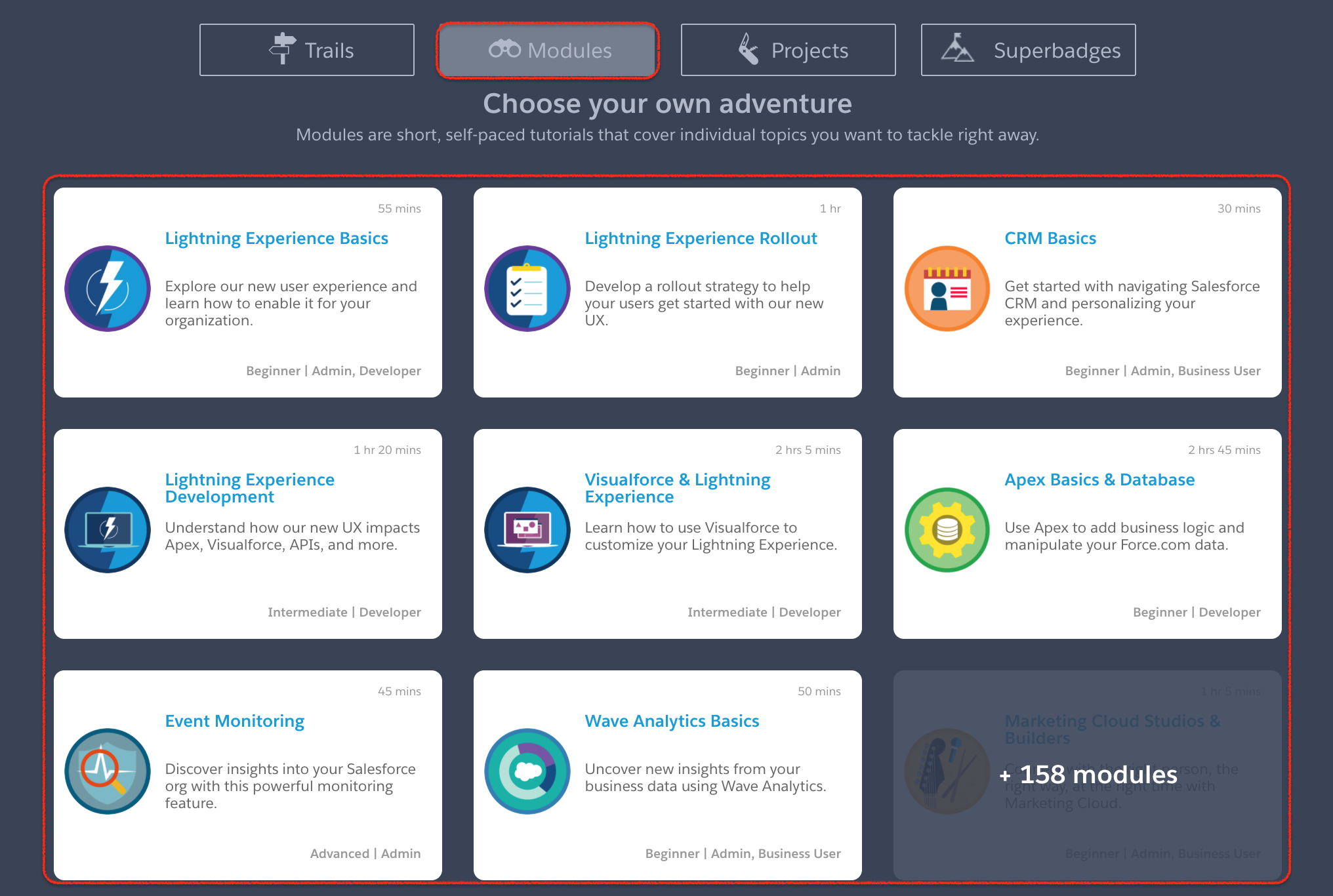
- Modules—Through Modules we can learn salesforce more depth on a given topic. Modules are short tutorial which cover individual topics like lightning experience, CRM basics, Visualforce, Apex basics and Databases and many more. In Salesforce trailhead nearly 166 modules are available.
A Trailhead module is usually divided into units. Each unit explains one part of the topic and may end with a quiz or a hands-on challenge. A quiz checks whether you understood the concept. A hands-on challenge checks whether you can complete a task in a Salesforce org, such as creating a field, building a report, writing Apex, or configuring automation.
Salesforce Trailhead Projects: Step-by-Step Builds in a Salesforce Org
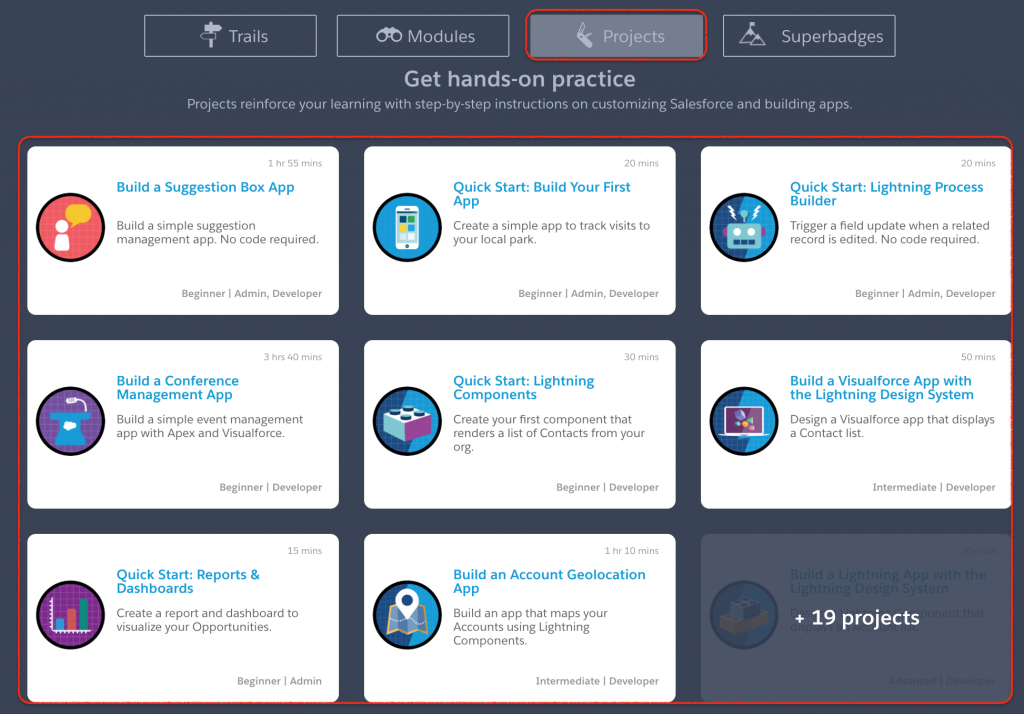
- Projects—Through Projects in Trailhead we can learn how to build apps step-by-step from the scratch. We can learn how to build our first app, building conference management app, Reports and dashboards, how to build custom geo location app. Like these we can build any custom app with the help of Projects in trailhead salesforce. Nearly 27 projects available for salesforce users.
A Trailhead project is more practical than a normal reading lesson. It gives instructions in a sequence and expects you to build something in Salesforce. Projects are useful when you want to learn by doing, especially for configuration tasks such as creating objects, adding fields, building automation, setting up reports, or testing a small app idea.
Salesforce Trailhead Trails: Guided Learning Paths for a Role or Skill
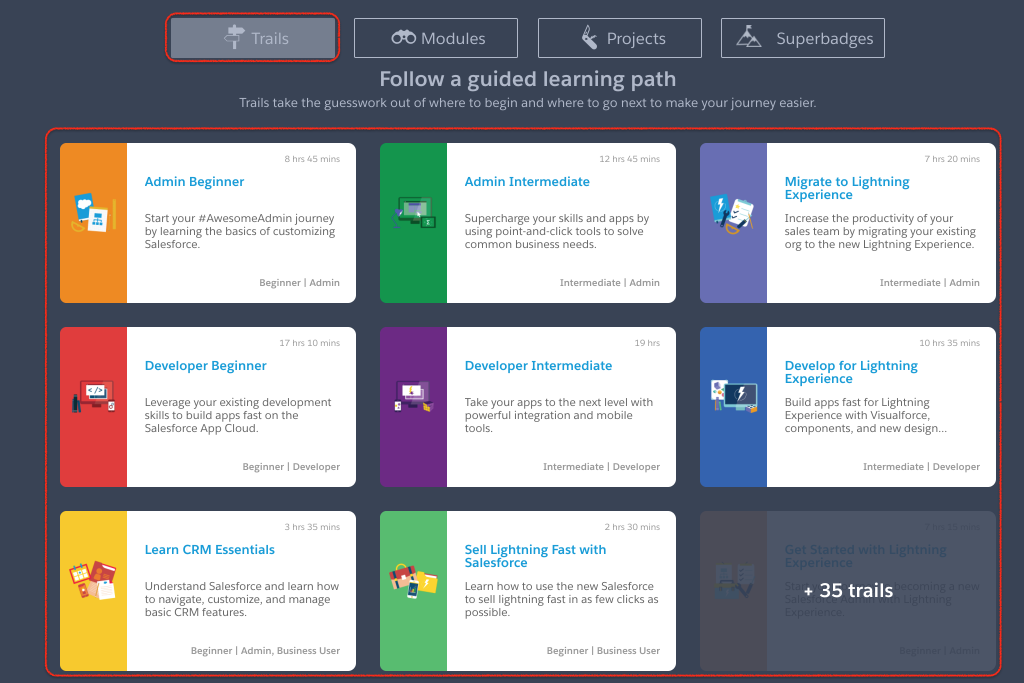
- Trails—Trails group modules and projects into a guided learning path so you can see connected information. Trails available for beginners and intermediate users for both Admins and Developers in salesforce. Nearly 43 trails available in Salesforce trailhead.
A trail is best when you do not know which module to study first. Instead of opening separate modules one by one, you can follow a trail that arranges related content in a sensible order. For example, a beginner admin trail may start with Salesforce platform basics, then move into data model, security, reports, dashboards, and automation.
Salesforce Superbadges: Performance-Based Trailhead Credentials
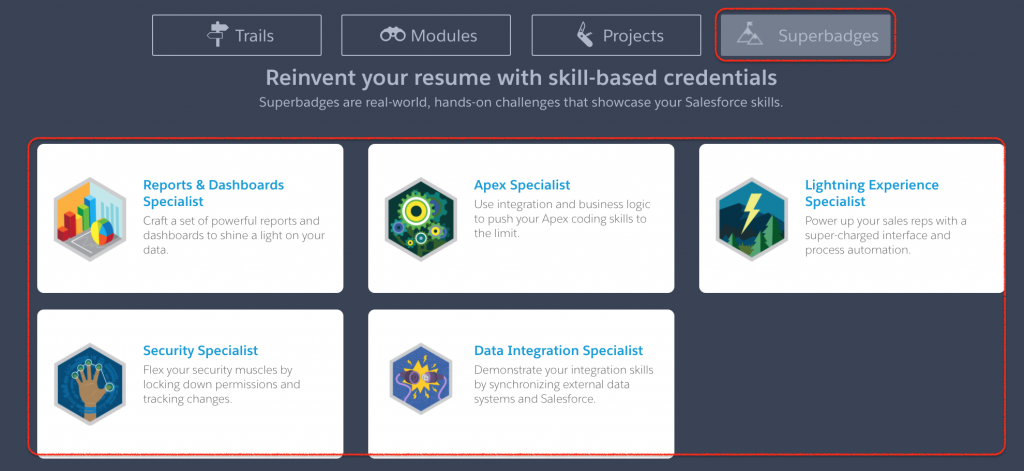
- Superbadges—Superbadges are business scenarios where you’re tasked with using your Salesforce skills to solve business challenges, such as scaling the infrastructure of a growing business, automating sales and customer service processes, and engaging with customers using mobile apps. Superbadges are skill-based credentials that prove that you can take what you’ve learned and apply it to solve complex real-world business problems.
A Salesforce superbadge is different from a normal module badge. In a superbadge, you usually receive a business case, requirements, and a Salesforce environment where you must implement the solution. Trailhead then validates whether the required work has been completed correctly. This makes superbadges useful after you have already learned the basics through modules and projects.
You can browse current Salesforce superbadges from the official Trailhead superbadges page at https://trailhead.salesforce.com/superbadges. Choose a superbadge only after reading its prerequisites, because some superbadges assume knowledge of Salesforce setup, automation, security, development, or a specific Salesforce product.
Trailhead Trails vs Modules vs Projects vs Superbadges
| Trailhead item | What it means | Best used when |
|---|---|---|
| Module | A focused lesson on one Salesforce topic, usually split into units. | You want to understand one concept or feature. |
| Project | A guided build where you follow steps in a Salesforce org. | You want hands-on practice with configuration or development. |
| Trail | A learning path that groups modules and projects in order. | You want a structured path for a role, product, or skill. |
| Superbadge | A performance-based challenge based on a practical scenario. | You want to test applied Salesforce skills after learning the basics. |
Recommended Way to Start Learning Salesforce on Trailhead
If you are new to Salesforce, start with beginner modules and trails before attempting superbadges. Do not start with a superbadge only because it looks more advanced. Superbadges are easier to complete when you already understand Salesforce objects, fields, relationships, security, automation, reports, and the product area covered by the challenge.
- Create or sign in to a Trailhead profile. Use your profile to track badges, points, trails, and superbadges.
- Use a fresh Developer Edition or Trailhead Playground. This helps you avoid conflicts with older practice work.
- Begin with role-based trails. Choose admin, developer, business analyst, consultant, marketer, or user learning paths based on your goal.
- Complete modules before projects. Learn the concepts first, then apply them in guided builds.
- Attempt superbadges after prerequisites. Read the requirements carefully and complete the recommended preparation items first.
Every salesforce user can submit their ideas to the community at submit feedback link.
Key features of Salesforce Trailhead.
- Trailhead is the learning platform
- Through Salesforce trailhead user can learn salesforce through online by choosing specific trail.
- Salesforce content is arranged in three hierarchical levels they are trails, modules and paths.
- We can share trailhead badges on LinkedIn.
- We can choose content by role, level, products and tags.
Common Mistakes When Using Salesforce Trailhead
- Skipping prerequisites before a superbadge: Superbadges often assume that you already know the related Salesforce features.
- Using an old practice org: Old settings, test data, or customizations can cause validation errors.
- Only collecting badges without practice: Badges are useful, but the real value comes from applying the steps in a Salesforce org.
- Ignoring release changes: Salesforce changes across releases, so screens, labels, or setup paths may differ slightly over time.
- Choosing content randomly: A trail is usually better than unrelated modules when you are learning a new role or product area.
Salesforce Trailhead FAQ
What is a Salesforce superbadge?
A Salesforce superbadge is a Trailhead credential that asks you to solve a practical business scenario in Salesforce. It is more hands-on than a normal module because it validates applied skills instead of only checking basic understanding.
Are Salesforce superbadges worth it?
Salesforce superbadges are worth doing when you want structured practice after learning the basics. They can help you test whether you can apply Salesforce knowledge to a realistic task, but they should be supported by real project practice and product understanding.
What are trails in Trailhead Salesforce?
Trails are guided learning paths in Trailhead. A trail groups related modules and projects so that you can learn a role, product, or skill in a planned order.
What is the difference between a Trailhead module and project?
A Trailhead module teaches a focused topic through units, quizzes, and sometimes hands-on challenges. A project is a step-by-step build where you create or configure something in a Salesforce org.
Do I need a Salesforce Developer Edition account for Trailhead?
You can learn many Trailhead topics with a Trailhead Playground or Developer Edition org. Using a fresh practice org is recommended because it reduces conflicts with older settings and makes hands-on validation easier.
Editorial QA Checklist for This Salesforce Trailhead Tutorial
- Confirm that the article clearly explains the difference between Salesforce Trailhead trails, modules, projects, and superbadges.
- Check that beginner readers understand where to start before attempting a Salesforce superbadge.
- Keep old numeric counts of modules, projects, and trails from being treated as current totals, because Trailhead content changes over time.
- Verify that official Trailhead links open correctly and that existing TutorialKart internal links remain unchanged.
- Review image alt text and surrounding copy so the page remains useful even when screenshots become older than the current Trailhead interface.