 TutorialKart.com
How to Assign Company Code to Company in SAP
In this SAP tutorial you will learn how to assign company code to company in SAP. After successful creation of company code and company in SAP, you need to assign the company code to the company in the SAP system. This assignment links an independent accounting unit, the company code, with the legal consolidation unit, the company.
Purpose of Assigning Company Code to Company in SAP FI
The link between company and company code in SAP is established through the assignment of company code to company. A company code is the organizational unit for which financial statements can be created, while a company is generally used to group one or more company codes for consolidation and group reporting. When the assignment is maintained correctly, SAP can identify which company the company code belongs to for enterprise structure and financial accounting configuration.
This activity is normally completed after defining the company and defining the company code. In many implementations, one company can contain more than one company code, but a company code is assigned to one company in this configuration activity.
Transaction Code OX16 for Assign Company Code to Company
You can assign company code to company by using the IMG navigation path or by directly entering the transaction code.
- Navigation: – SPRO – IMG – Enterprise Structure – Assignment – Financial Accounting – Assign company code to company
- Transaction code : – OX16
Do not confuse this activity with OB37. Transaction code OB37 is used for assigning company code to fiscal year variant. For assigning company code to company, use OX16 or the IMG path shown above.
Prerequisites Before Maintaining Company Code and Company Assignment
- The company key must already be created in SAP.
- The company code key must already be created in SAP.
- You should know the correct company key that represents the legal company.
- You need authorization to maintain enterprise structure assignment settings.
- If a transport request is required in your system, keep the correct customizing request ready before saving.
Steps to Assign Company Code TK01 to Company TKART in SAP
Step 1) Enter Transaction code “OX16” in the SAP command field and press enter to continue.

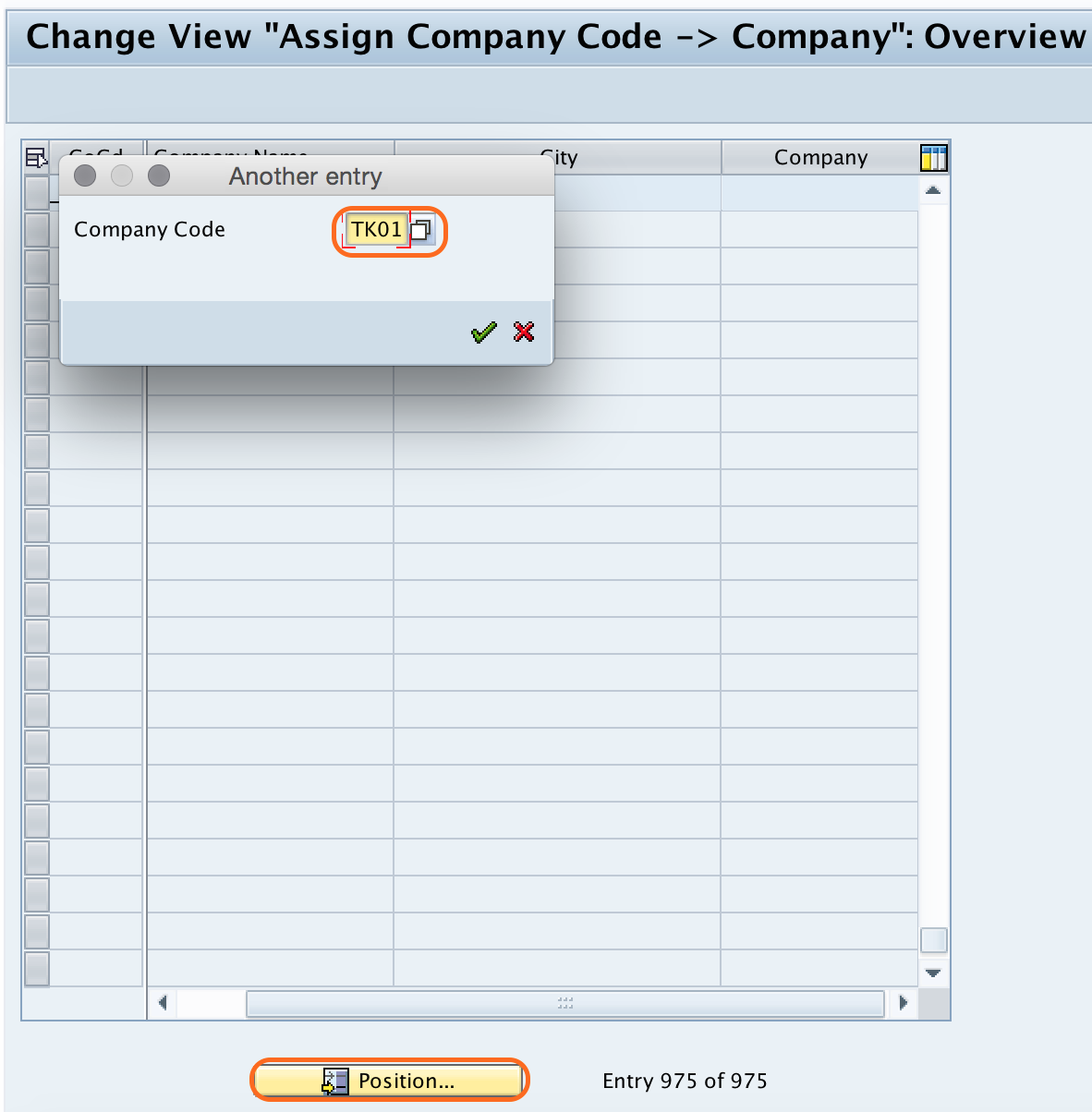
Step 2) On change view “Assign company code -> Company”:Overview screen, click on position button and give your company code key. Now your company code displays at the window.
Step 3) Now update your company key “TKART” in the given field.

Step 4) After assignment of company code to company, click on save button and save the configured data.

Successfully we have assigned company code “TK01” to company “TKART” in SAP systems.
What to Check After Assigning Company Code to Company
After saving the entry, return to the overview screen and verify that the company code row shows the correct company key. This is important because the same company may be used for multiple company codes in a group structure. If the wrong company key is entered, reporting and consolidation-related settings may point to the wrong legal company.
| Field | What to verify |
|---|---|
| Company Code | Check that the company code, such as TK01, is the correct accounting entity. |
| Company | Check that the assigned company, such as TKART, is the correct legal or consolidation company. |
| Transport Request | Confirm that the customizing change is saved in the correct request, if your system asks for one. |
Common SAP OX16 Assignment Mistakes
- Using OB37 instead of OX16. OB37 is for fiscal year variant assignment, not company assignment.
- Entering the company code again in the company field. The company field should contain the company key, not the company code key.
- Saving the assignment without checking the positioned company code row.
- Assigning a company code to the wrong company in a multi-company implementation.
- Assuming this step assigns a company code to a vendor. Vendor company code data is maintained separately in vendor or business partner master data.
Assign Company Code to Company FAQ
What is OX16 in SAP?
OX16 is the SAP transaction code used to assign a company code to a company under Enterprise Structure assignment settings in Financial Accounting.
Why do we assign company code to company in SAP?
We assign company code to company to link the accounting entity with the legal or consolidation company. This helps SAP identify which company the company code belongs to for enterprise structure and financial accounting purposes.
Can one company have more than one company code in SAP?
Yes. A company can contain more than one company code when multiple company codes belong to the same legal or consolidation company structure.
Is OB37 used to assign company code to company?
No. OB37 is used to assign a company code to a fiscal year variant. To assign company code to company, use transaction code OX16.
Is assigning company code to company the same as assigning company code to vendor?
No. Assigning company code to company is an enterprise structure configuration step. Assigning company code data to a vendor is part of vendor or business partner master data maintenance.
Editorial QA Checklist for SAP Company Code to Company Assignment
- Confirm that the tutorial uses OX16 for company code to company assignment.
- Confirm that OB37 is not described as the transaction for this assignment.
- Check that the example clearly distinguishes company code “TK01” from company “TKART”.
- Verify that the IMG path includes Enterprise Structure, Assignment, Financial Accounting, and Assign company code to company.
- Check that the final saved assignment text says company code is assigned to company, not company code to company code.